From a routine
Choose → Start
2 taps
Workout logging app · Android
Log every detail,
fast.
Record your way. Basic logging is free.
Android · Preparing for release
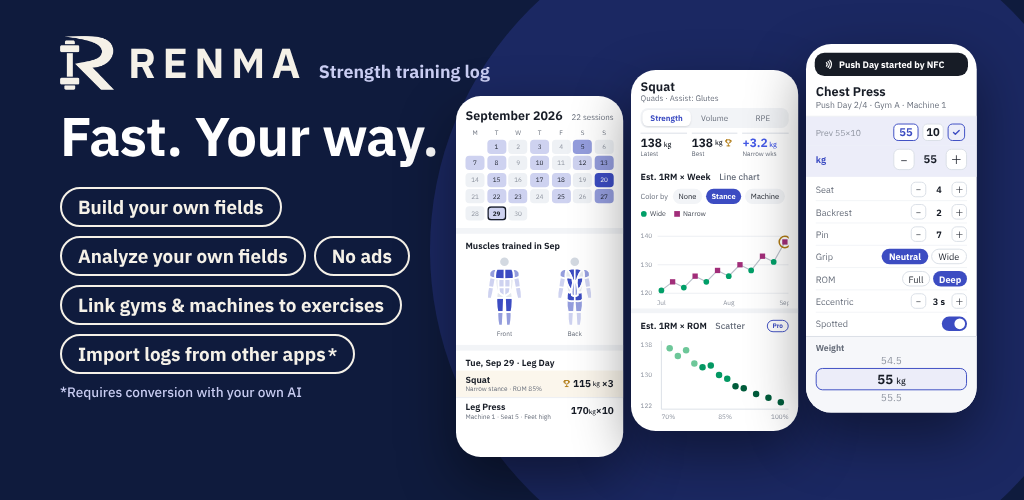
Start from your previous weight and reps. Change what changed, then confirm the set.
Choose → Start
2 taps
Scan → Start
0 taps
NFC Quick Start needs an NFC-capable phone, an unlocked screen and a linked tag. If a workout is already in progress, RENMA shows it instead of starting another.
Your fields, for every exercise
Turn what used to live in notes into fields you can log
Set your own field names, units and options
App screen · sample data
Mix and match to suit each exercise
Gym A, near home
Custom fields and machine settings need Pro. Past values stay readable in history on Free
App screens · sample data
Your choice of kg / lb and theme colors
Custom fields and machine settings need Pro
Import spreadsheets, exported files and notes after converting them to a supported RENMA format.
Use an AI tool you have access to for the conversion.
Arbitrary CSV files are not imported directly. Supported contents and plan limits apply. Keep a backup of your original records.
Read the migration guide →Save a RENMA backup for recovery in RENMA. Restore is a recovery operation, not the same as adding a Bridge import.
Choose what to take out in CSV or JSON. Exporting, backing up and restoring are available on Free. Files stay under your control.
Track your progress in workout history and charts
With Pro, explore correlations using your custom fields
Creating, entering and analyzing custom fields requires Pro / Lifetime. Past custom-field values remain readable in history on Free.
Your training does not need to fit a fixed form.
Seat position or lowering tempo: record it when you need it.
The history you build should stay available to you.
Review it without a time limit. Export it whenever you choose.
Gym time is for training. Logging should be quick.
No ads to interrupt your focus on training.
RIS Works · RENMA developer
Unlimited exercises and routines
Look back at your records, no matter how many years ago
For deeper customization
Everything in Free, plus
Lifetime provides the Pro features as a one-time purchase.
If Pro ends, existing records remain viewable and exportable. New custom-field input and analysis require Pro.
Purchase options, local prices and trial terms will be shown in Google Play and in the app at launch.
You can log basic measurements such as weight, reps and time, record each side separately, view your history and use basic analysis. There is no limit on the number of exercises or routines you create. Exporting records, backups and restoring backups are also free.
Creating your own custom fields and setting up gyms and machines requires Pro or Lifetime. You can try these features free for the first 14 days.
They include the same features. Pro is a monthly or yearly subscription. Lifetime is a one-time purchase. Both include custom fields, gym and machine settings, and unlimited Bridge imports. Prices are shown on the purchase screen in the app.
No. After the initial 14-day trial, you move to the free plan. You will not be charged unless you choose to purchase a paid plan. You do not need to cancel the trial.
Your past records remain after your paid access ends. You can still view and export historical custom-field values and machine information, and continue logging with the free basic fields.
Creating or editing custom fields, entering or changing their values, analyzing custom fields, and setting up or selecting gyms and machines requires Pro or Lifetime.
To import records from another app or a spreadsheet, you must convert them to RENMA format first. The original files cannot be imported as they are. You can use an external AI to help with the conversion.
What can be transferred depends on the information in the source data. After conversion, check the contents in RENMA's preview before importing.
Your records are stored on your smartphone. RENMA does not automatically send your workout records to a RENMA server.
To use them with an external AI or another service, you export and share the files yourself. Keep a backup outside your phone as well.
Yes. Export a RENMA backup on your old phone and restore it in RENMA on your new Android phone. Before giving up the old phone, save the backup on another device or storage you control.
Pro and Lifetime purchases are restored separately from your records, using the Google account you purchased with.
Yes. You can export to formats such as CSV and JSON. Even on the free plan, you can take your records with you, including previously recorded custom-field values.
Exports for spreadsheets and other services serve a different purpose from a RENMA backup. To prepare for a new phone or device failure, save a backup.
No. You can set up exercises and routines and log every workout using RENMA alone. External AI is an optional way to convert old records or prepare settings in bulk. RENMA does not have a built-in AI chat.
You can start with just the basic fields. Add other fields when you need them and save your setup in routines, ready to select next time.
While logging, you can adjust numbers with the + and − buttons beside a value, or scroll to choose a number. You do not have to type every number again with the keyboard.
Yes. You can select a routine in the app and log your workouts without NFC tags. NFC is an optional shortcut for opening a routine by holding your phone near a registered tag. The NFC feature itself is free.
An iPhone version is not currently available. RENMA is being developed for Android, and the Android release is in preparation. There is no announced date for an iPhone version.
RENMA · Workout logging
The athlete decides.
Android · Preparing for release