
±, number wheel and direct entry
| Action | When to use it | How the value is determined |
|---|---|---|
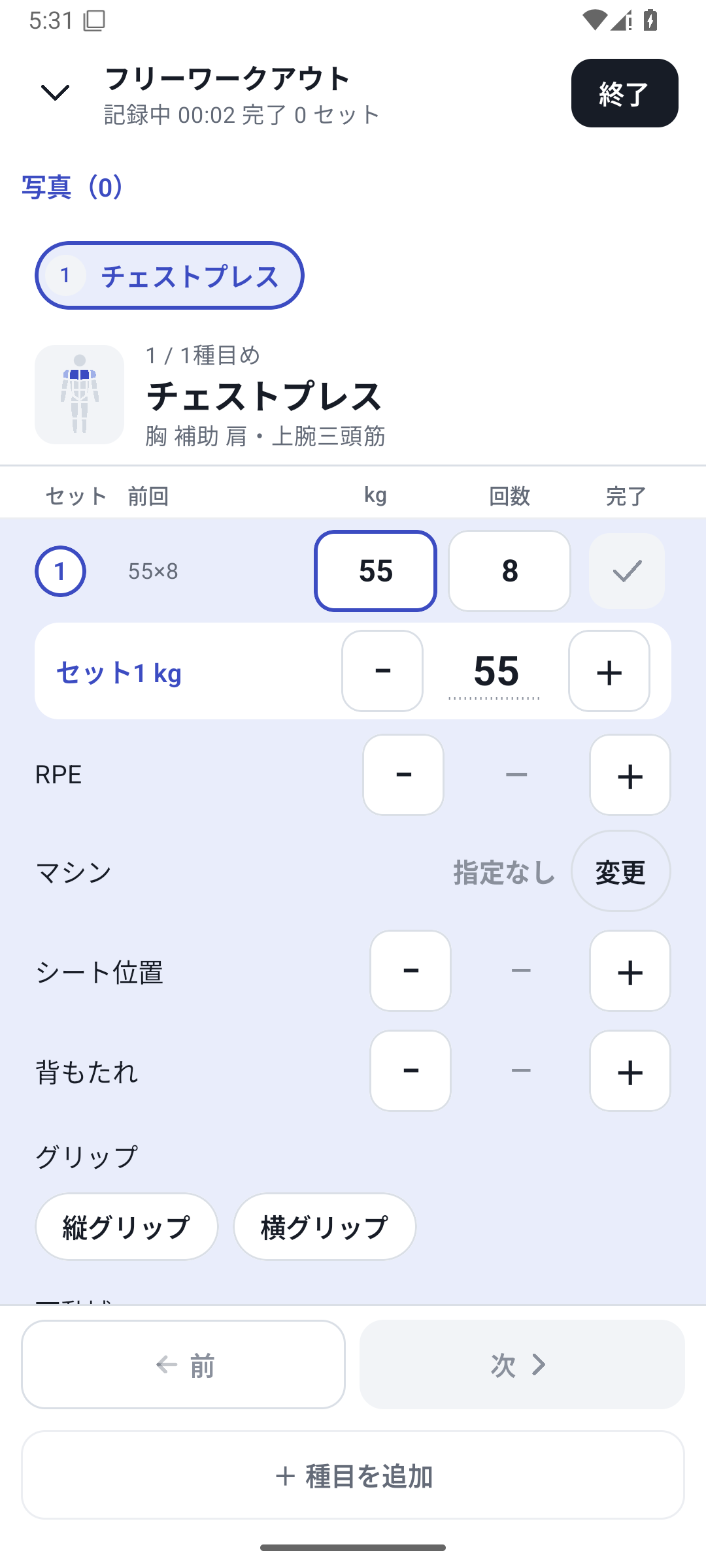
| ± | Small changes, such as adding 2.5kg to last time | Weight uses the configured increment |
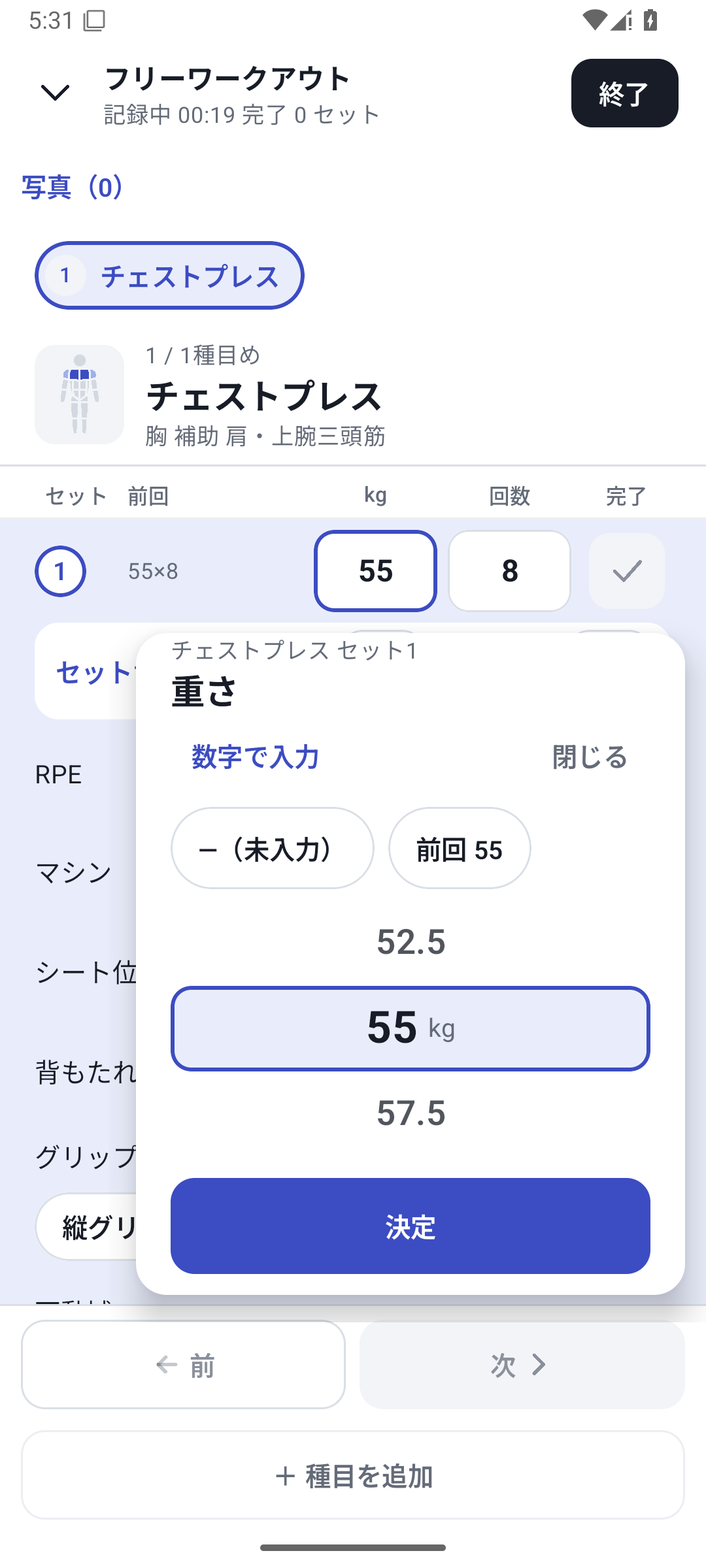
| Number wheel | Choose a value while viewing the options | Shows options suited to the unit and input field |
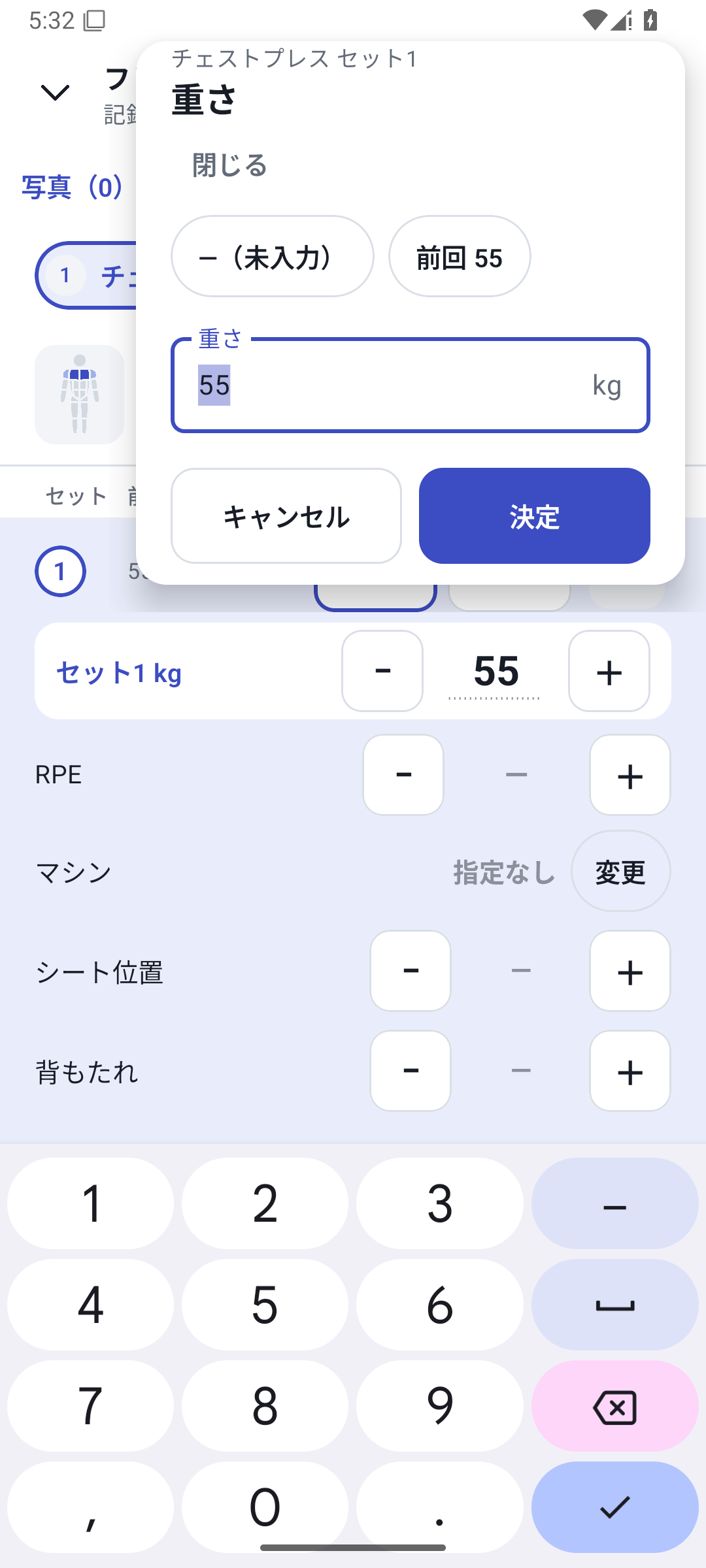
| Direct entry | Jump to a distant value in one step | Validates the input before confirming |
| Clear | Return to unrecorded | Distinct from entering 0 |
Zero reps and an empty field are different states. Clearing a required value in a completed set triggers validation, so a set cannot remain confirmed with required fields blank.
 Enlarge image
How to use it in a workout
Save the exercise's weight increment
Open More → Exercises, edit the exercise, enter its weight increment and save.
Open a value on the logging screen
Tap a field such as weight to open the wheel. Check its unit and field type before selecting a value.
For a distant value, choose Enter a number
Choose Enter a number in the wheel to type a value directly. Check any validation message before confirming.
Confirm and log the set
Choose Confirm to return to the logging screen, check the actual values and complete the set.
Configure multiple exercises together
Open bulk settings from More → Units, then choose kg/lb, the increment and whether to overwrite existing settings. Check the number of affected exercises before applying.
Choose weight increments to suit your equipment
Use exercise-specific settings, such as 5kg steps for a machine and 2kg for dumbbells. Saving an exercise's weight increment and default values sets the basis for ± in the next workout.
In bulk unit settings, choose kg/lb and an increment, then decide whether to overwrite individual settings. To preserve detailed settings for particular gyms, check the overwrite option and affected count before applying.
kg/lb and the sign of added weight or assistance
After changing display units, check kg/lb beside the input. In assisted pull-ups, a negative value in the added/assistance weight field indicates assistance. Negative values in the ordinary weight field do not have that meaning.
Reps and seconds are integers; RPE has a defined range and increment. If an input is rejected, correct it using the reason shown beside the field. Numeric custom fields have different types and restrictions from basic values.
Case: direct entry for large changes, ± for small ones
Set the chest press increment to 2.5kg. From last time's 52.5kg to 55kg takes one + tap. When using different equipment at 40kg, use direct entry, confirm and enter the reps. Later, review whether you used 55kg or 40kg alongside that day's equipment.
Related how-to guides
The screens use sample records to explain the controls.
Updated: October 27, 2026