
Steps
Set language and units
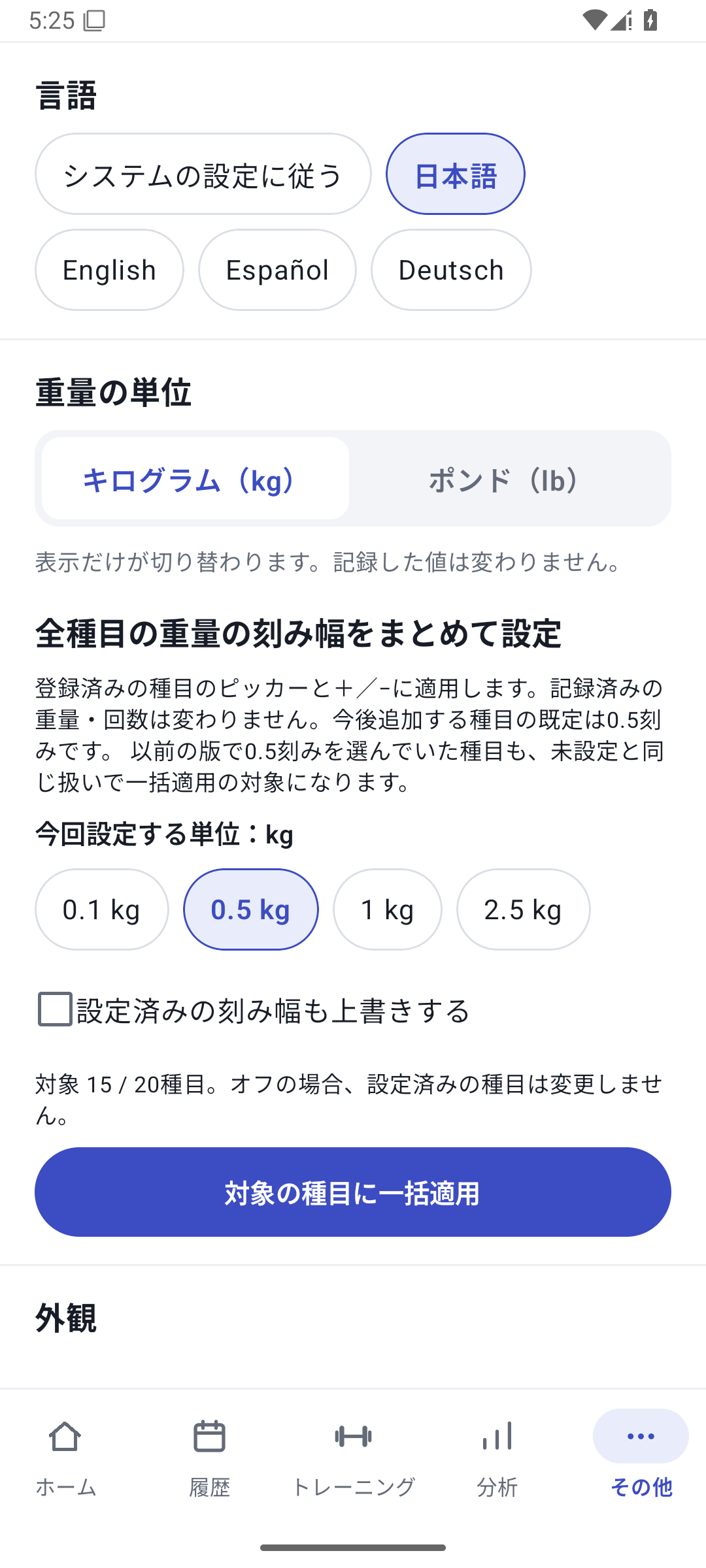
In Language under “More”, choose English, then choose kg or lb in Units. You do not need to configure everything at the start.
 Enlarge image
Language settings for Japanese, English, Spanish, and German. Start a free workout
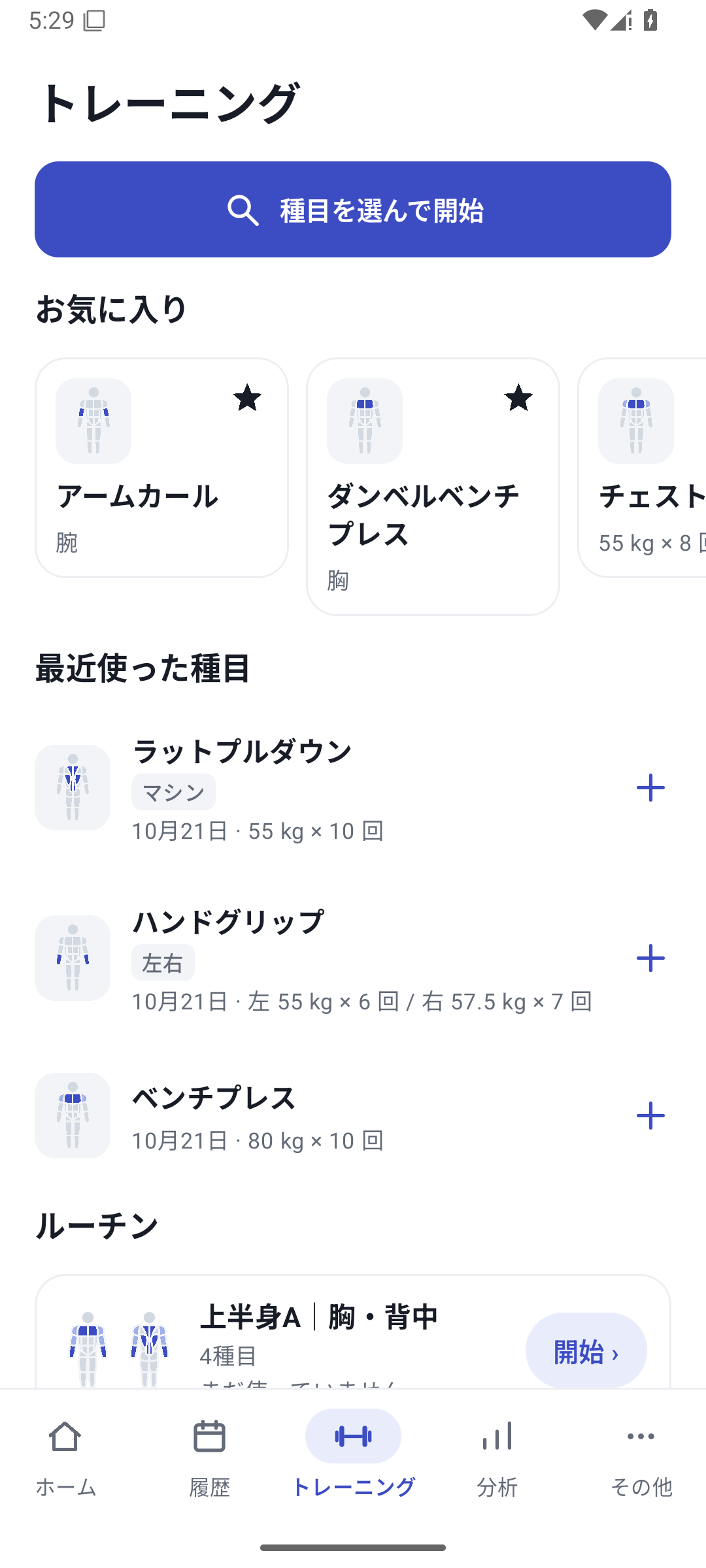
At the bottom, open “Training” → “Choose exercises and start” and select the exercises you will use.
 Enlarge image
Workout screen: start by choosing exercises or start a routine. Save one set
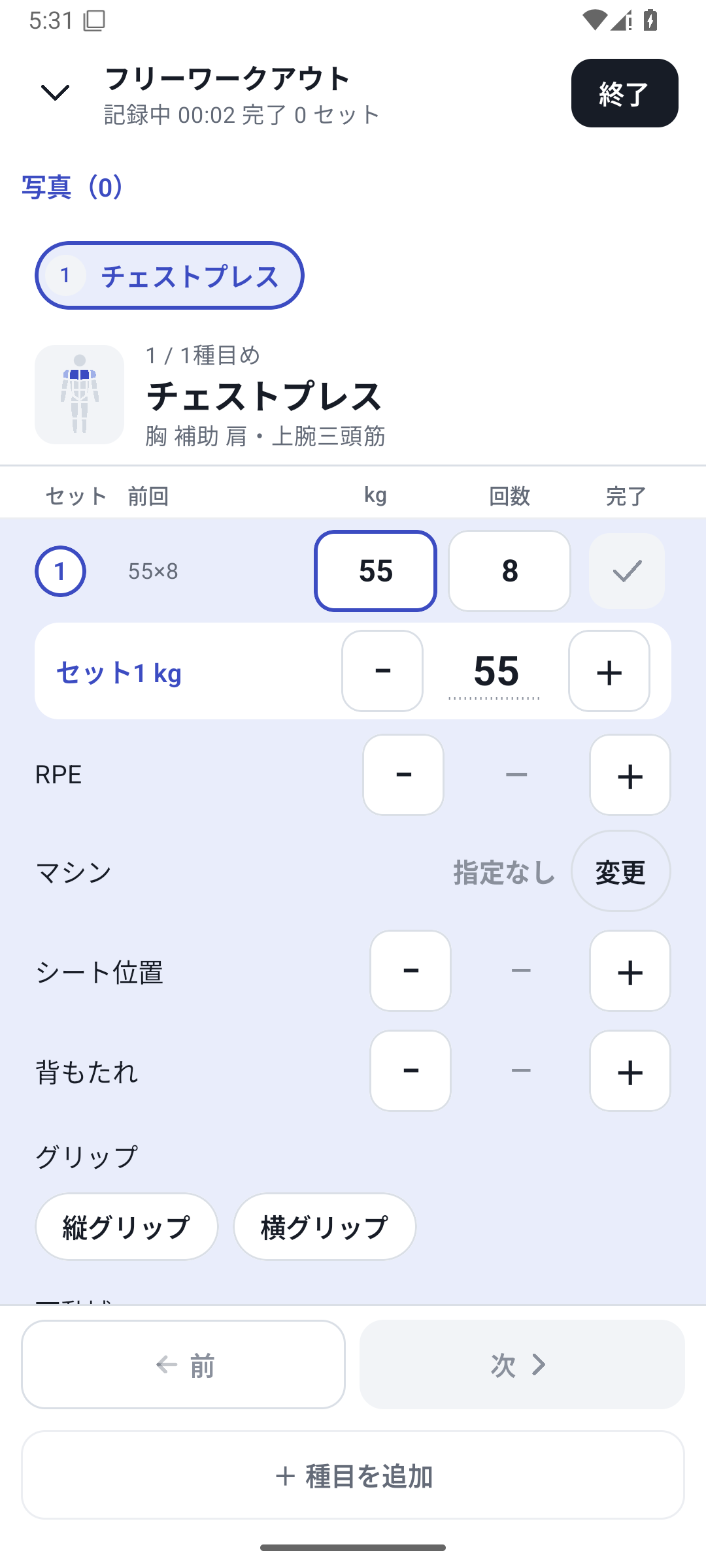
Enter the exercise's weight, reps, or other values and mark it complete after doing it. Open a numeric value to use the wheel or direct entry.
 Enlarge image
Chest press logging screen: weight, reps and completion. Finish and check history
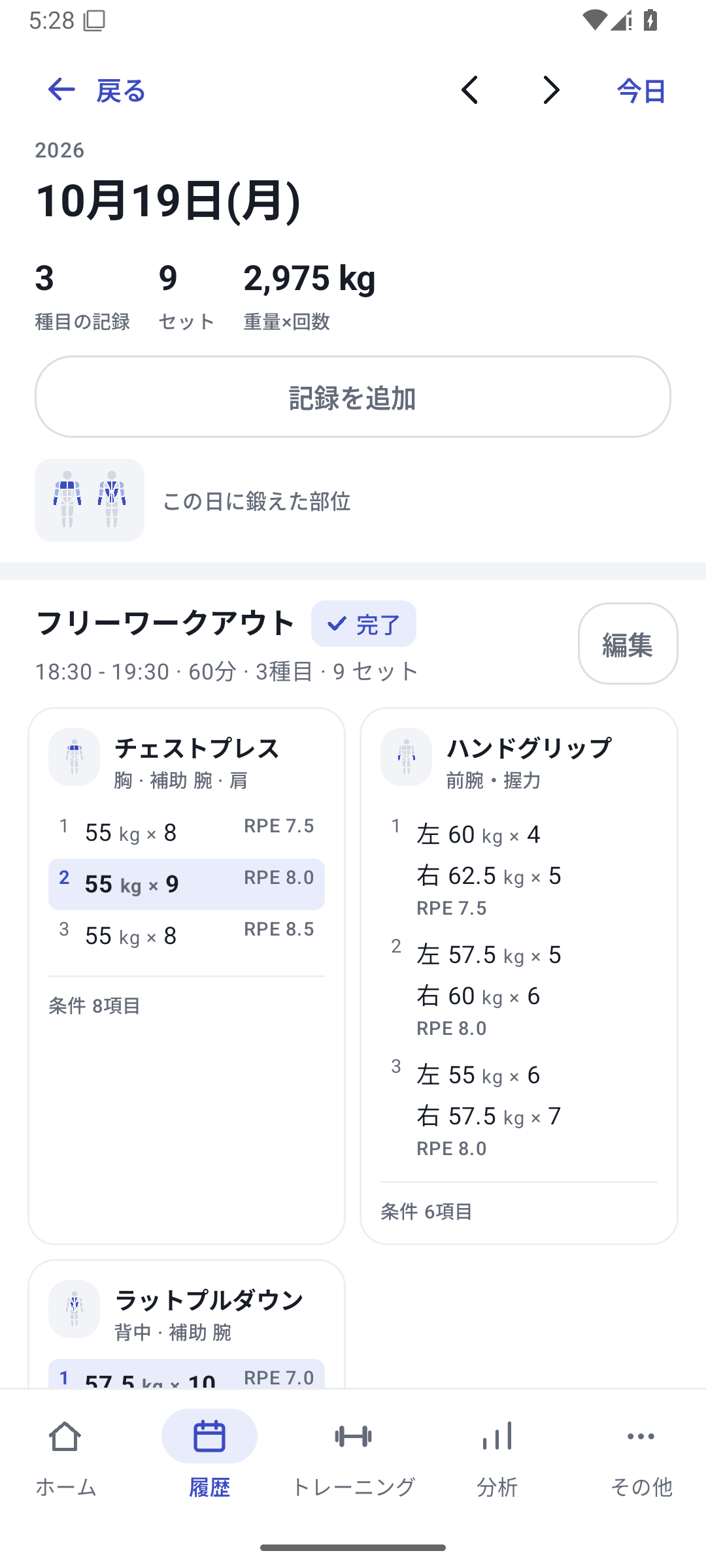
Review remaining sets when finishing and save the result. In History, open today's date and exercise to check the values you entered.
 Enlarge image
A day's sessions, exercises and completed sets. Prepare for next time
Create a routine if you want to repeat the structure. Add custom fields or machines when you find other conditions you want to record.
Basic logging with Free
There is no plan-based limit on exercise or routine creation. Basic weight, reps, time, and left/right logging, history, basic analysis, export, and backup are free. New custom field setup or values and new gym or machine operations require Pro.
An initial 14-day free trial
On first use, you can try Pro features for 14 days. See the days remaining on the plan screen. The trial ending does not automatically charge you, and saved history remains.
Supported devices and data storage
The baseline requirement is Android 8 or later. Check Google Play for availability on your device. Ordinary records are stored on the device, so make a backup before changing phones or deleting the app.
Case: start with fewer exercises
Record 1 chest press set and check that History shows 55 kg × 8 reps, then try 3 sets next time. Once you know the controls, add your usual routine and your own fields.
Related features
The screens use sample records to explain the controls.
Updated: October 27, 2026