
Do not compare 55 kg on different machines as equal
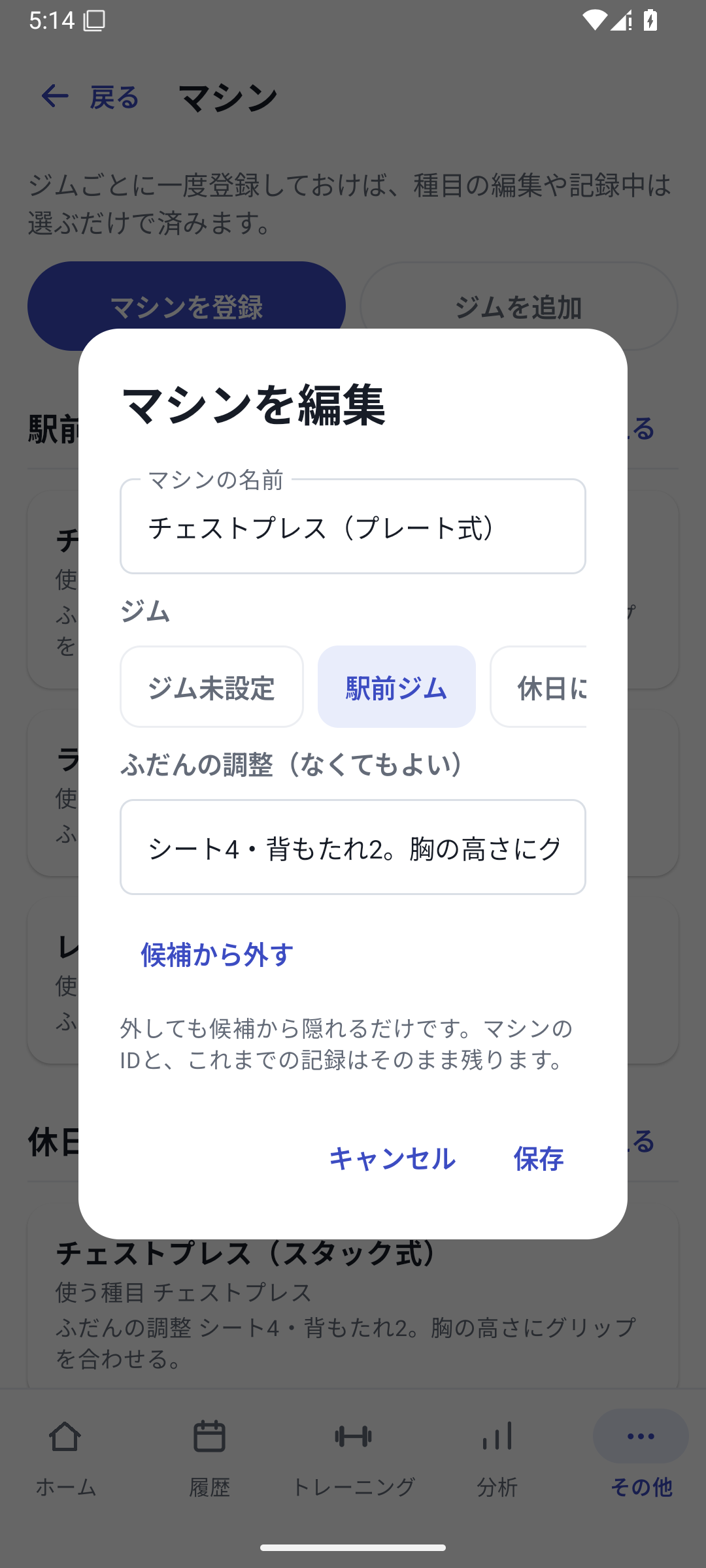
Even with the same chest press exercise, machine models and cable structures can change the weight used. History under an exercise name alone mixes equipment changes with your own progress, so keep the gym and actual machine in each set.
Case: separate location, equipment, and adjustments
| Purpose | Station branch | Main branch |
|---|---|---|
| Gym | Station branch | Main branch |
| Machine | Chest press A | Chest press B |
| Seat position | Number 4 | Number 3 |
| Grip | Vertical | Horizontal |
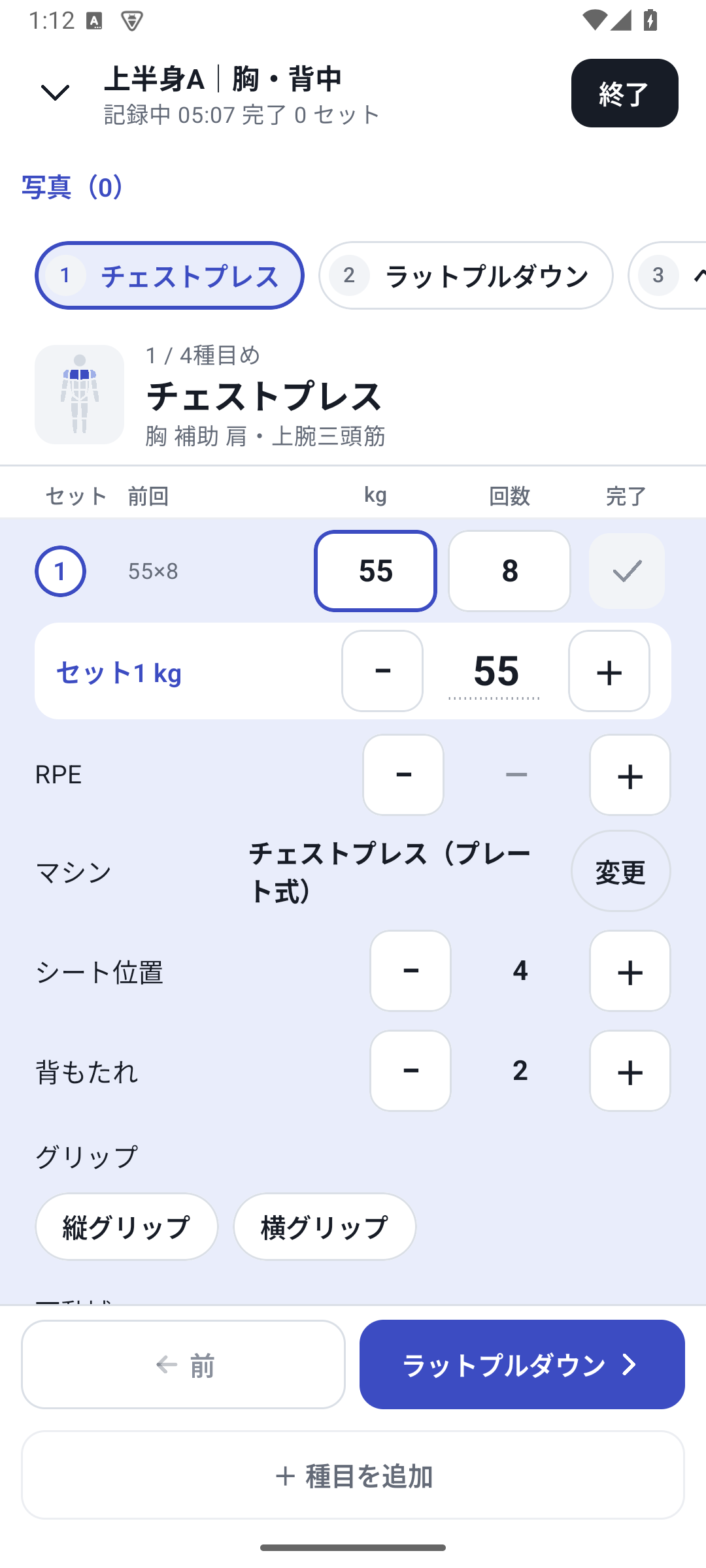
Keep gyms and machines in their register, and changing conditions such as seat position or grip in custom fields. Link the machine to the exercise and select it in conditions while logging.
Use the same routine with different equipment
Load your chest-and-back routine and choose the machine used that day. Rather than carrying the previous numbers straight over to a different model, change them to today's actual values and complete the set. Check the machine and seat selection in the next set too.
Compare with previous results on the same equipment
Switch “Gym / machine” in Analysis to follow whether you moved from 52.5 kg to 55 kg at the station branch or increased reps at the main branch. The all-machine view can also show separate equipment series. It does not convert weights displayed on different models into equivalent loads.
Set up with Pro and read past information with Free
New gym or machine setup, set assignments, and custom value entry require Pro. After returning to Free, you can view and export equipment and condition information already saved in History.
Setup and operation
The screens use sample records to explain the controls.
Updated: October 27, 2026