
Weekly goals as a guide to consistency
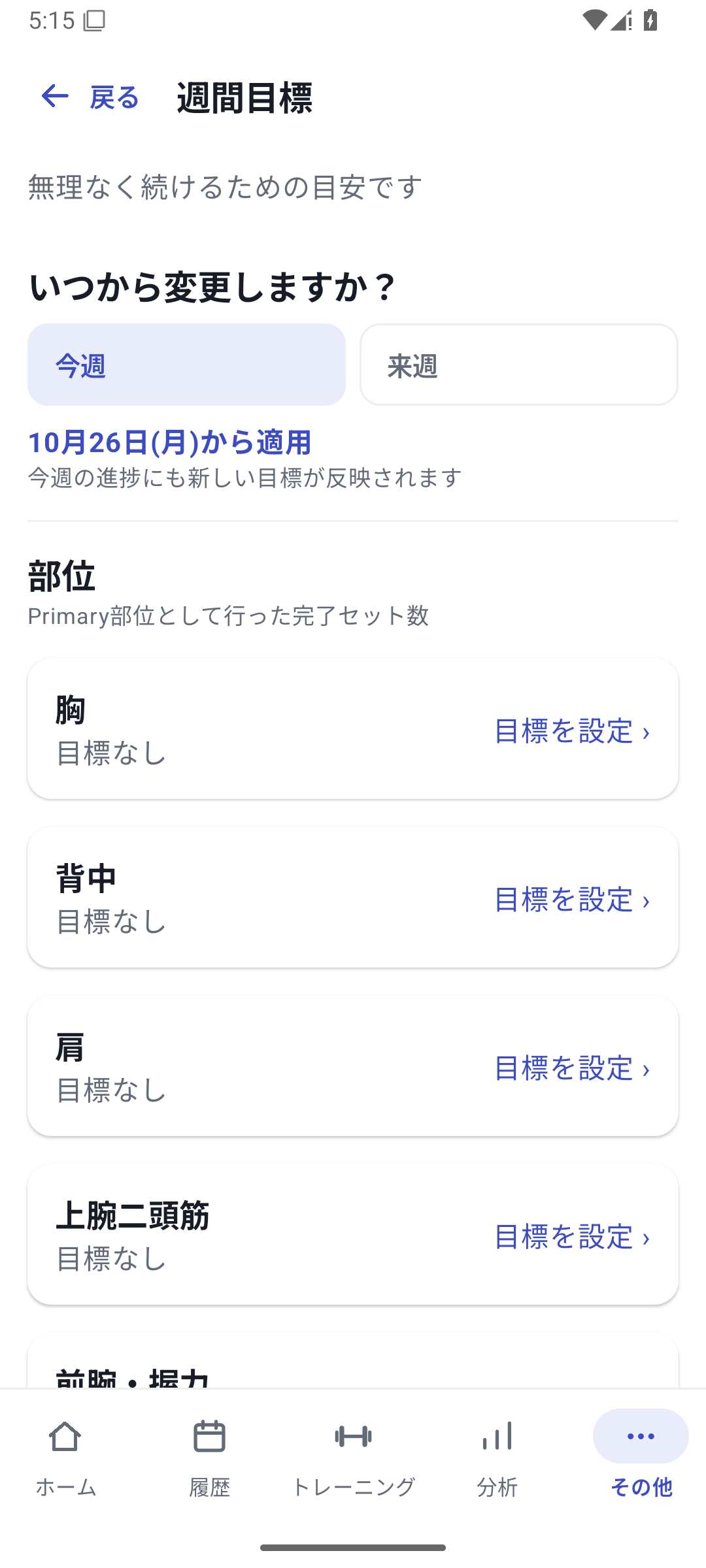
Set weekly exercise goals by training days or completed sets: 1–7 days or 1–40 sets. For muscle-group goals, also check the target and counting method. From weekly progress on Home, open History to see which records contributed.
 Enlarge image
How to use it in a workout
Open weekly goals
In “More” → “Weekly goals”, choose whether to apply them from this week or next week.
Choose the target and goal value
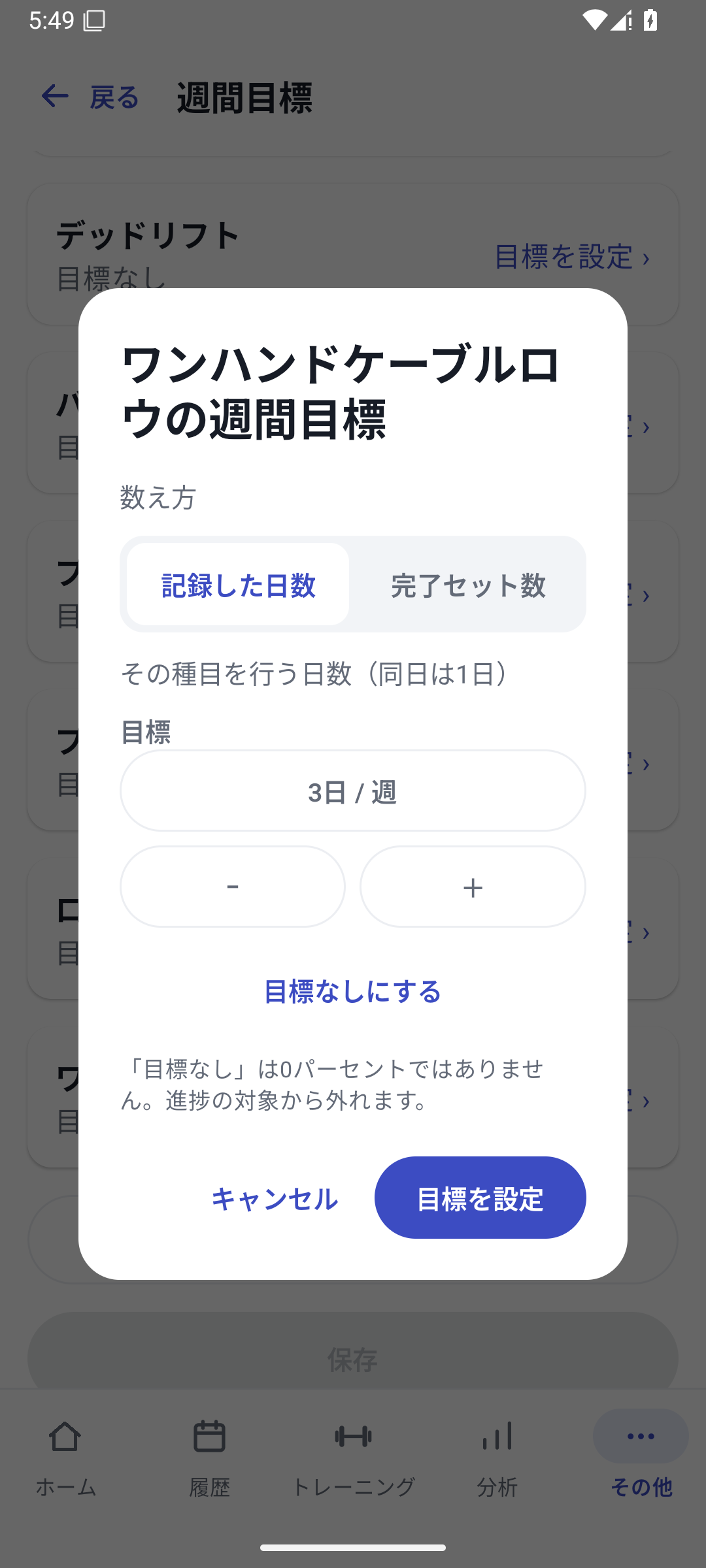
Open “Set goal” for an exercise or muscle group. For exercises, choose days or completed sets and enter the value. Confirming here only stages the change.
Save at the bottom of the screen
Scroll to the bottom of the list and read “Changes” and the start date. If correct, press “Save” at the bottom.
Check when the goal takes effect and confirm
Read the start date and how this week's progress will change in the confirmation screen, then press “Change”.
View progress on Home
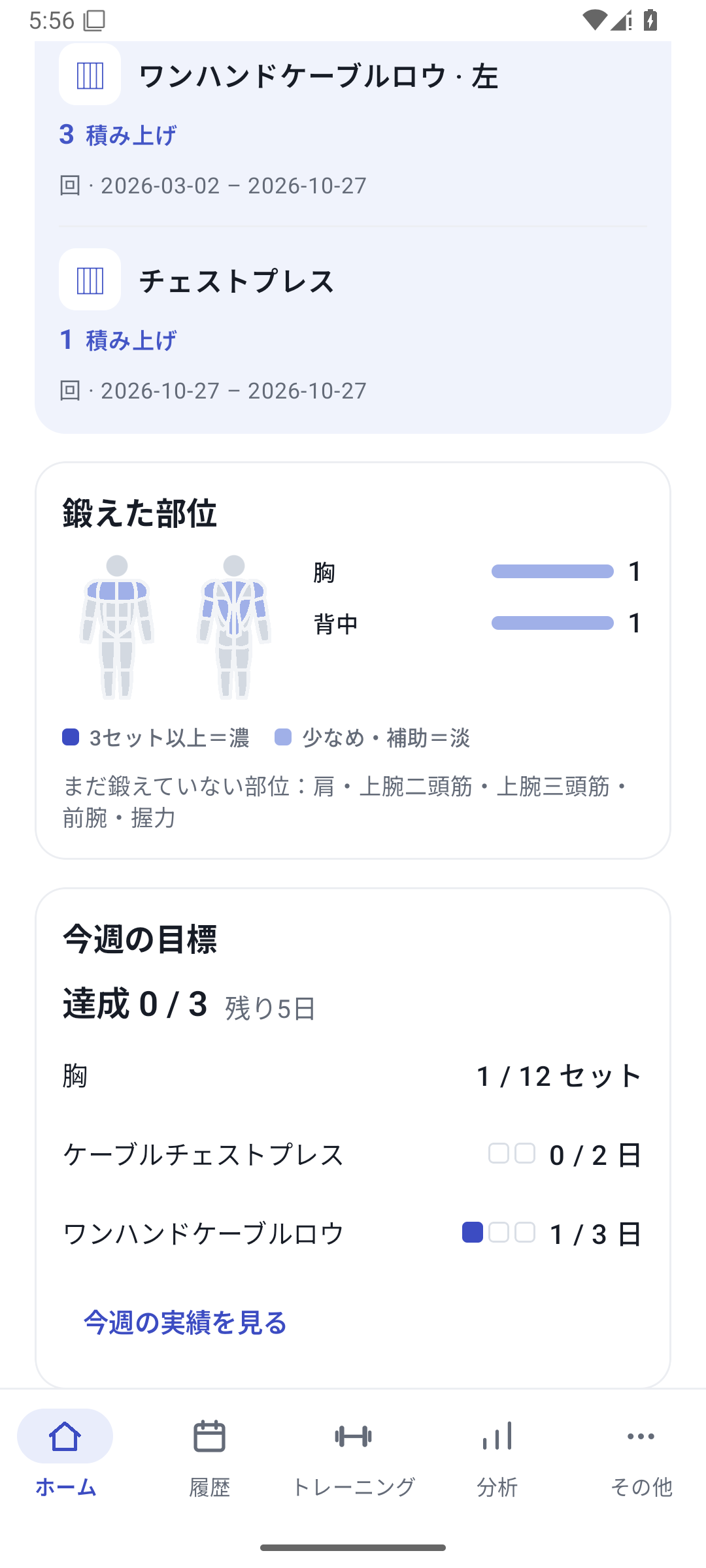
Open weekly goals on Home to see your targets and progress based on relevant records.
Set a weight goal
Use “Weight goal” in exercise editing or the goal controls in exercise analysis. Choose the supported equipment, metric, and target value, then save.
Apply changes this week or next week
Changing a goal from this week applies the new value to this week's progress. Choosing next week keeps the current goal for this week and switches next week. Earlier goal periods are retained so you can identify the weeks when targets changed.
Match weight goals to the analysis conditions
In exercise analysis, set a goal for a supported metric, such as weight or estimated 1RM. If you use different machines, match the target machine. Not every tracking type supports the same weight goals.
Reaching an estimated 1RM goal is different from lifting that weight once. Read the metric name on the screen.
Case: legs twice a week and chest press by machine
Change the leg exercise goal to 2 days a week starting next week. Set a chest press weight goal for the machine at the station branch. Follow frequency on Home and weight in the exercise graph to review consistency separately from performance.
Set goals with Free
Basic weekly goals and weight goals for supported exercises are available with Free. Creating or assigning a new machine for a goal is subject to the machine feature's Pro requirements.
Related how-to guides
The screens use sample records to explain the controls.
Updated: October 27, 2026