
Prepare exercise order and sets
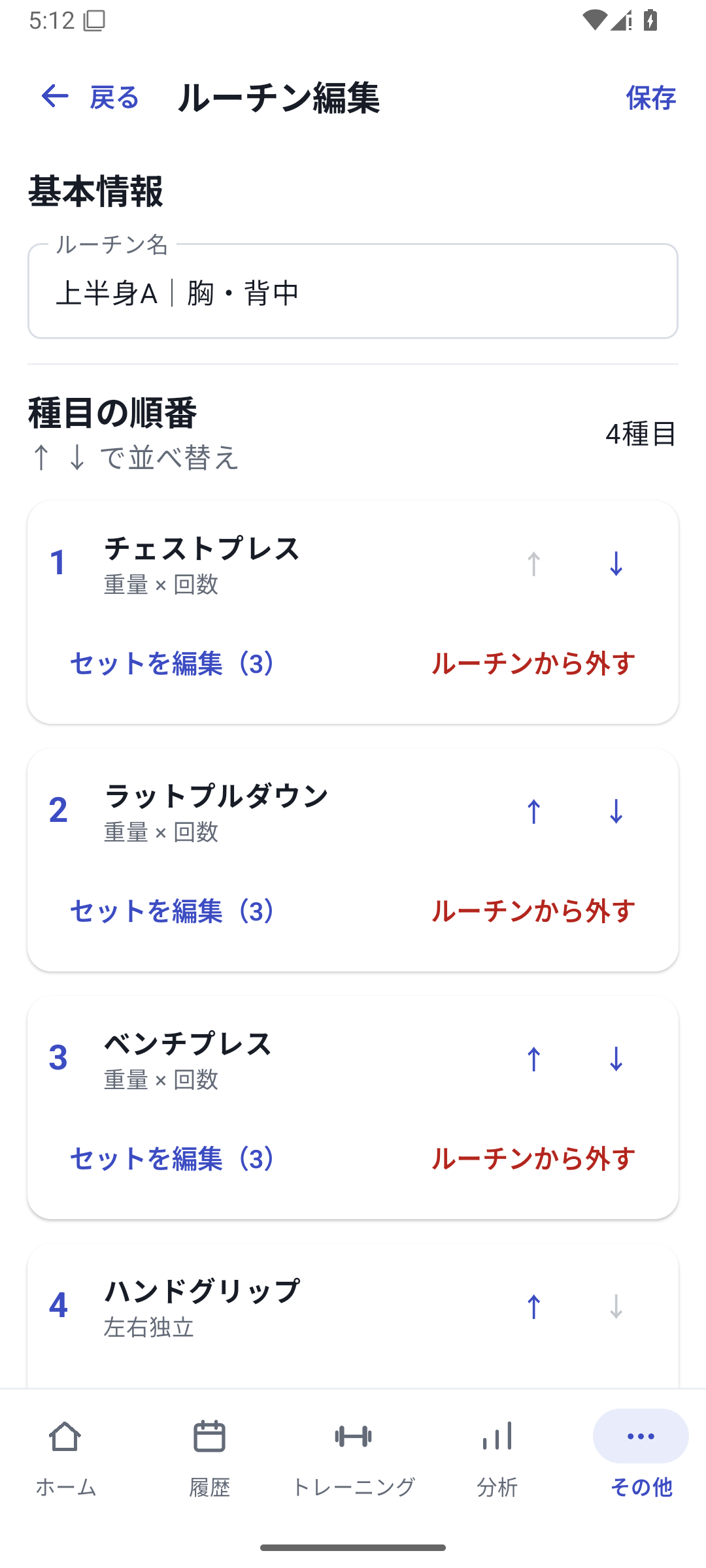
Save exercises, their order and set templates in routines such as Upper Body A or Leg Day. Give each exercise a set count and planned weight and reps, so you need not rebuild the same workout each time.
Adding the same exercise repeatedly within one routine has restrictions. Decide whether to use additional sets or a separate exercise according to your actual menu.
 Enlarge image
How to use it in a workout
Add a routine
Open More → Routines, add a routine and name it.
Choose exercises and order
Add the exercises and arrange them in the order you perform them. Open each exercise's set template.
Save set templates
Set the number of sets and planned values, then save the whole routine.
Load it from the start screen
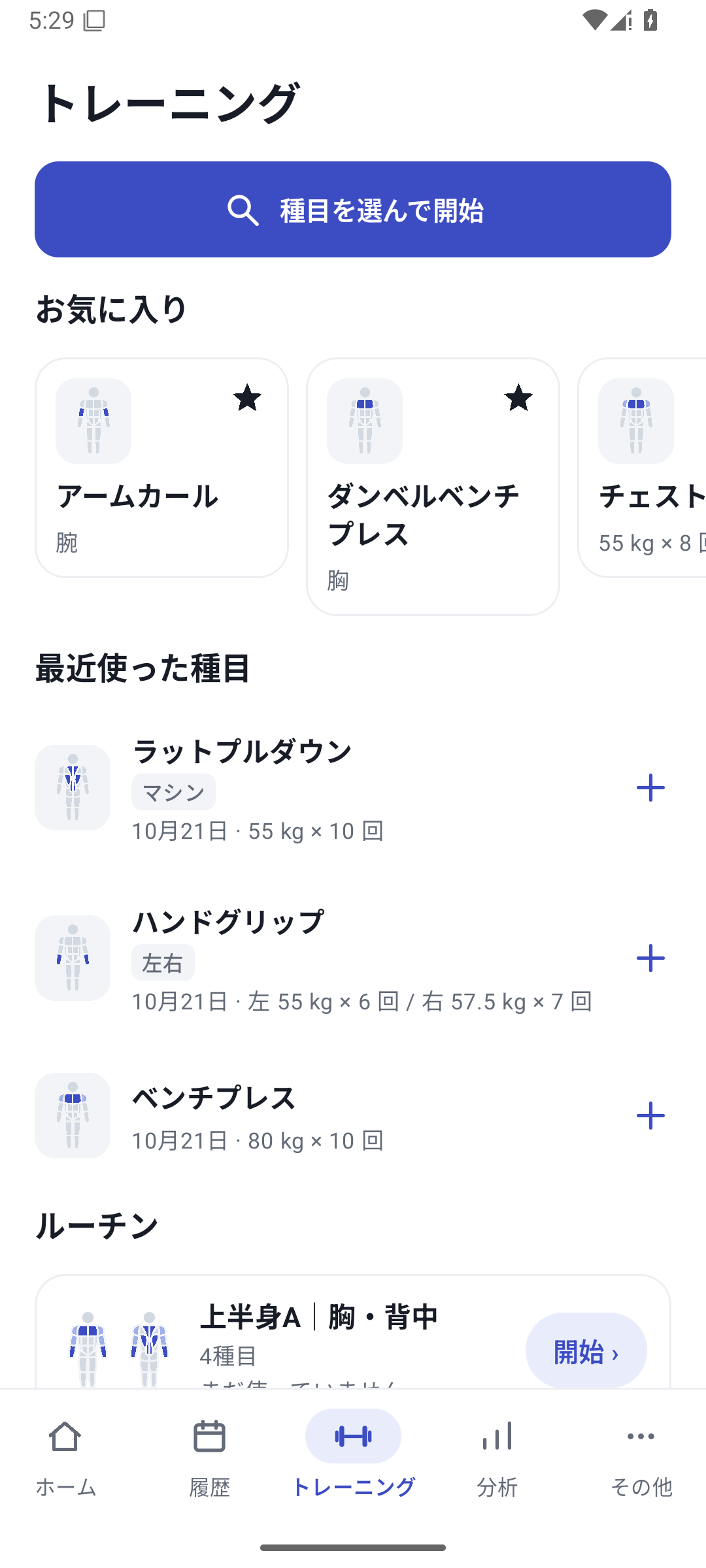
In “Training”, choose “Start” on the routine. Check your previous results and change the values for today's workout.
Review after finishing
Compare the plan with what you did in History. To change the structure for next time, edit the templates in routine management.
Templates are plans; saved records are results
Starting prepares the logging screen from the template. Check your previous results, today's condition, and equipment, adjust the values, and mark the sets you complete. Selecting a routine does not turn planned values into completed results.
Case: using Upper Body A
Save chest press for 3 sets → lat pulldown for 3 sets → cable row for 2 sets. If your chest is tired today, adjust the weight or reps and save only what you complete. Load your usual structure and record what changes each session.
Taking a break from a routine
Archive routines you no longer use and restore them when needed. You cannot start a new workout from an archived routine. The same applies to a routine linked to an NFC tag.
Create routines with Free
There is no plan-based limit on the number you create. Basic routines and set templates are available with Free. Entering new custom field or machine values in sets is subject to the Pro requirements for those features.
Related how-to guides
The screens use sample records to explain the controls.
Updated: October 27, 2026