
Steps
Keep source records and current data
Retain the source app's exports and notebook images. If RENMA already has history, make a backup of current data too.
Prepare a supported file
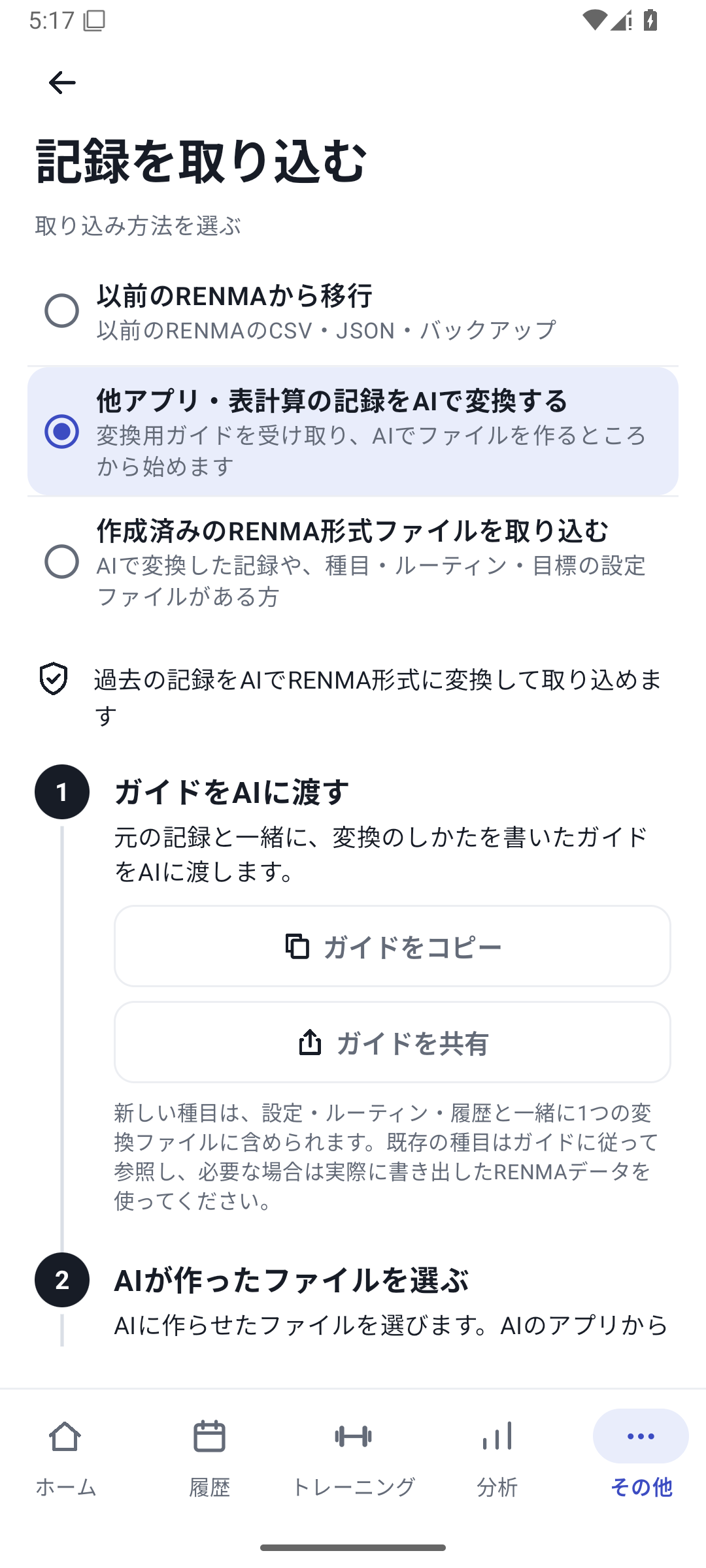
Give an external AI RENMA's conversion guide and source data and ask for a supported import JSON. Image reading also happens in that external AI.
 Enlarge image
Screen for choosing the import source and copying the conversion guide. Select the file
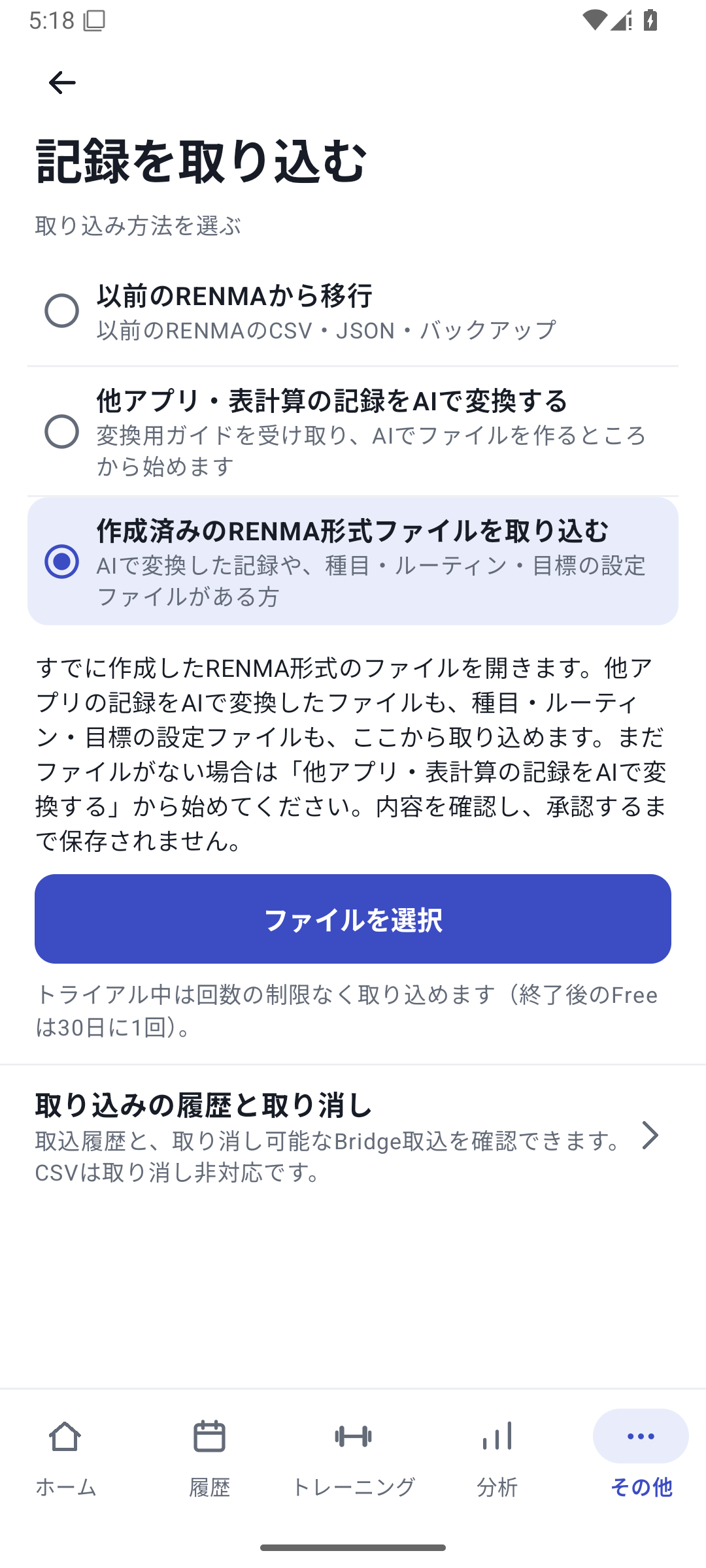
In “More” → “Import records”, choose “Import a prepared RENMA-format file”, then open the received file using “Select file”. If a reading error is explained, give the AI the source data and reason so it can correct the file.
 Enlarge image
Screen for selecting a prepared RENMA-format file. Review the import under “View contents”
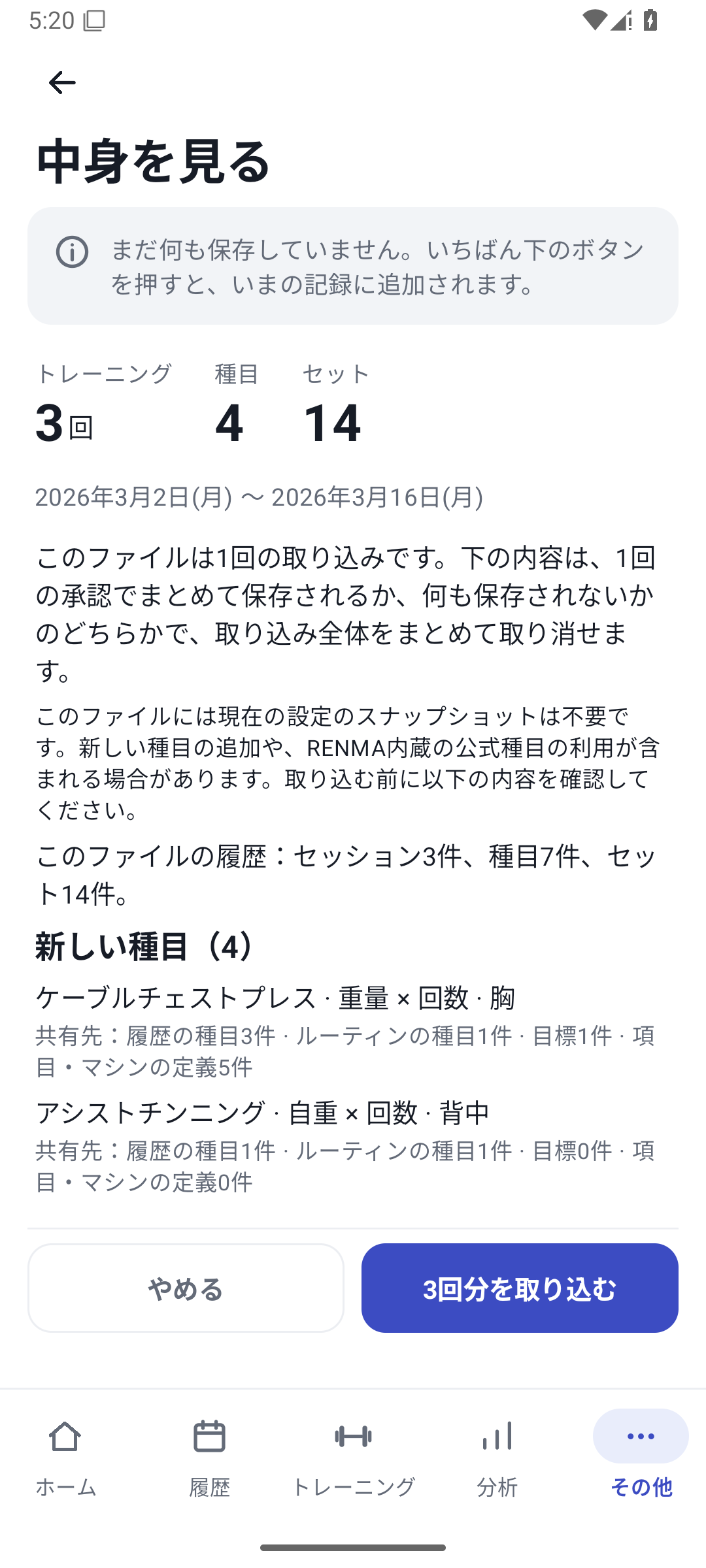
Check dates, counts, exercises, sets, units, sides, new definitions, and changes. Also compare against the source to catch times or values added without evidence.
 Enlarge image
Screen for reading exercise, routine, and goal contents and counts before saving. Choose how to handle existing history
If history exists, choose yourself whether to replace matching dates, a specified period, all history, or add records. Do not let the AI decide the replacement scope on its own.
Approve and apply
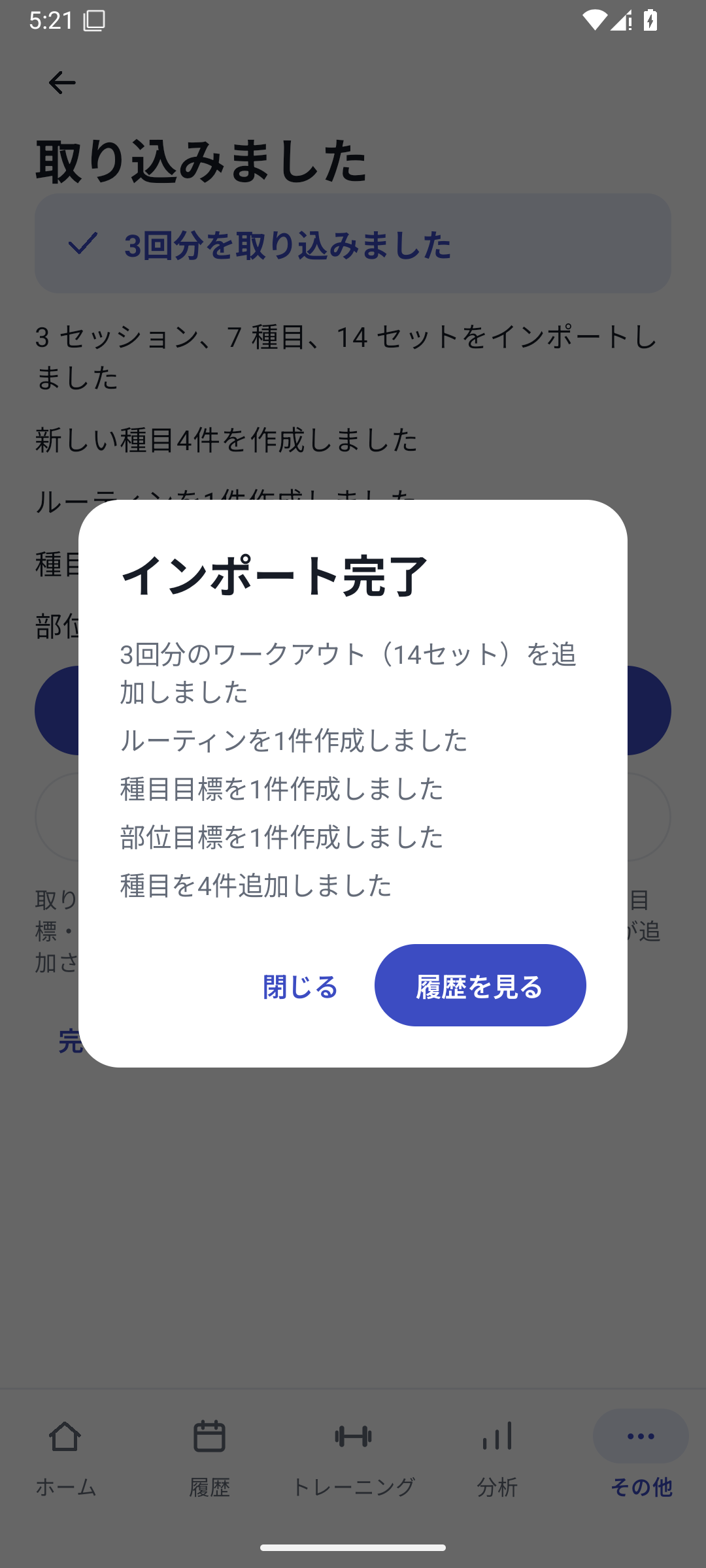
Agree to the contents and apply. Opening the preview alone does not save anything. After completion, compare the counts and actual sets from representative dates.
 Enlarge image
Result of importing records and setup.
What can move and what to retain in the source
The format supports compatible history, exercises, custom fields, machines, per-set RPE, routines, and weekly goals. Bodyweight, photos, weight goals, app settings, and unfinished sets are excluded, among other items. Ask the AI to list anything it cannot transfer and keep the source documents.
Records with a date but no time
If the training day is known but the time was not recorded, keep it as a date-only record. This does not create exact dates from memories of only a month or season. Do not fill missing numbers with 0 or copy one side from the other.
You can migrate with Free too
Free allows 1 import every 30 days from the last success. Failed and canceled attempts are distinct from successful imports. Pro, Lifetime, and the initial free trial have no import-count limit. Imports that create or change custom fields or machines also require Pro access.
Undo and duplicates
Importing the same file again triggers a warning, but this does not automatically detect every semantically similar duplicate. Undo from import history may become unavailable after edits, dependent records, restoration, or other changes. Undo does not return the Free allowance.
Importing long histories
The current format has per-file limits including 4,000 sessions, 20,000 exercise records, and a total of 100,000 created records. Limits do not guarantee processing speed. If splitting is needed, keep each day within one file and review each preview and result separately.
CSV from earlier RENMA versions
Supported older RENMA-specific CSV files have a separate direct-import path. Do not treat ordinary CSV or another app's export as that same format. Follow the format identified on screen and the instructions provided.
Related features
The screens use sample records to explain the controls.
Updated: October 27, 2026