
Steps
Create a new exercise
In “More” → Exercises, open Add and enter the name and muscle group. Choose independent left/right tracking. An ordinary exercise with history cannot be changed directly to this type.
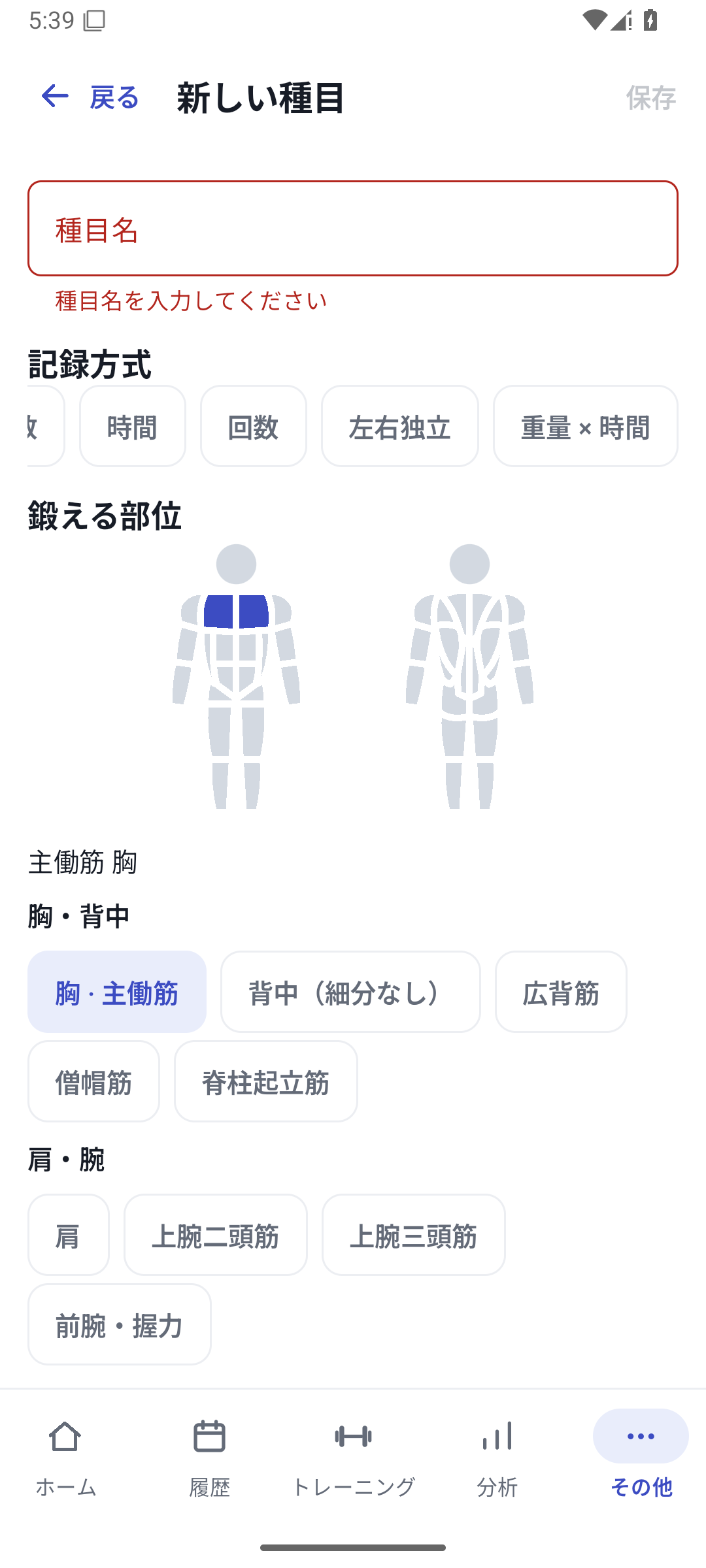 Enlarge image
Scrolling tracking types horizontally and selecting independent left/right. Enter default values for each side
Set left weight, left reps, right weight, and right reps, then save the exercise. Defaults are a starting point for logging.
Choose the exercise and start
Load the independent left/right exercise from a free workout or routine.
Enter actual results for each side
Enter the weight and reps performed in the 4 fields. Do not fill a missing side with the other side's value or 0. Complete the set when required values are present.
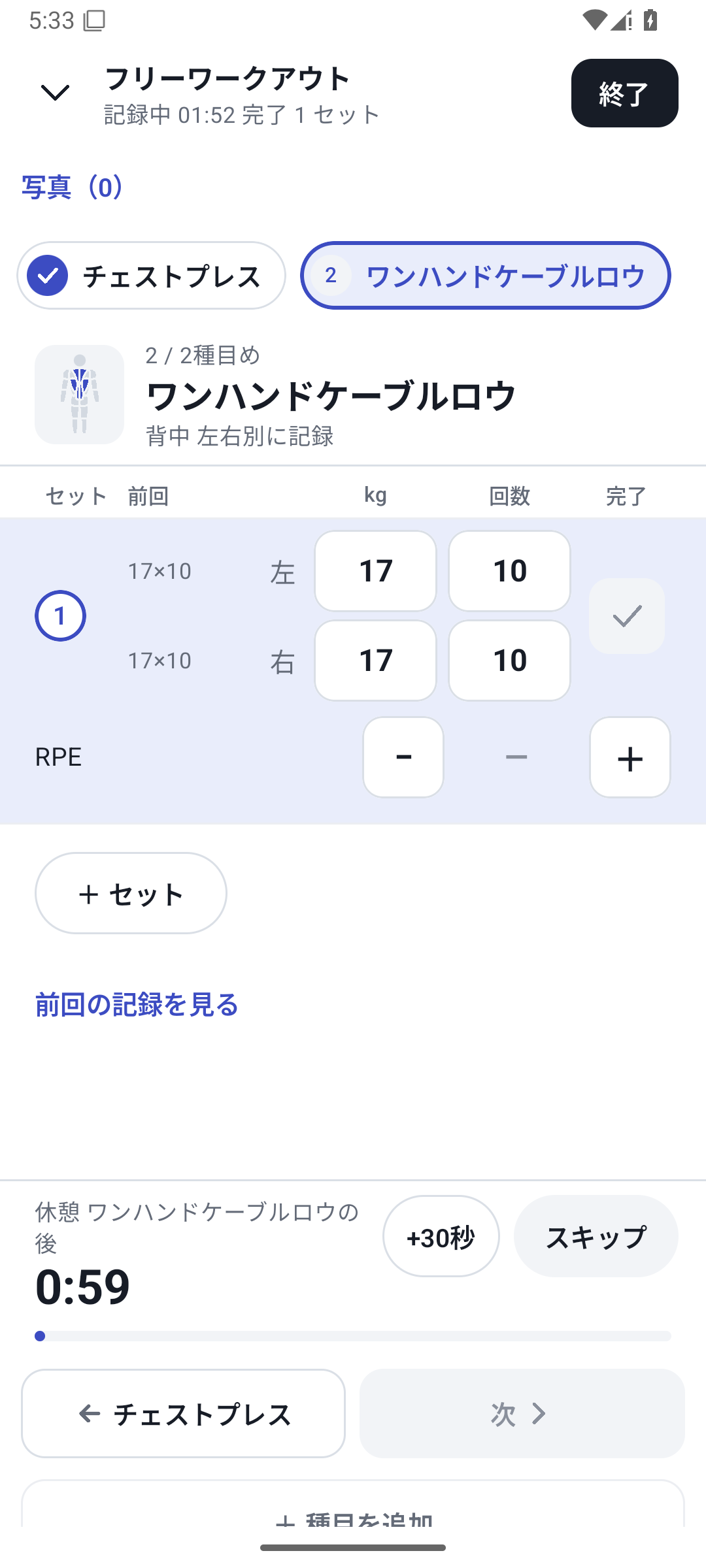 Enlarge image
Independent left/right exercise screen for saving each side's weight and reps. View History and graphs
Check the 4 values in daily details and switch between sides, differences, and reps in Analysis. Compare using the same equipment and the same meaning for weight.
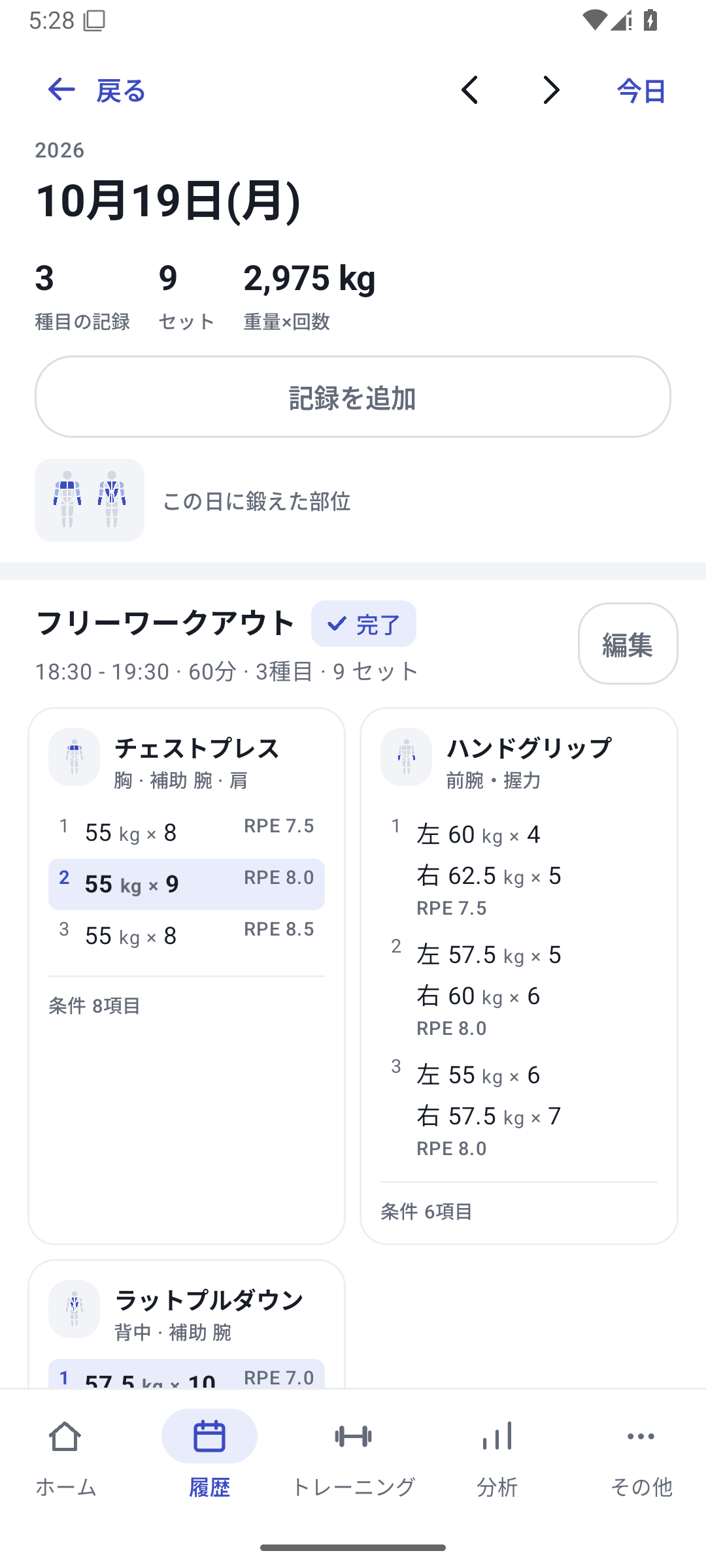 Enlarge image
A day's sessions, exercises and completed sets.
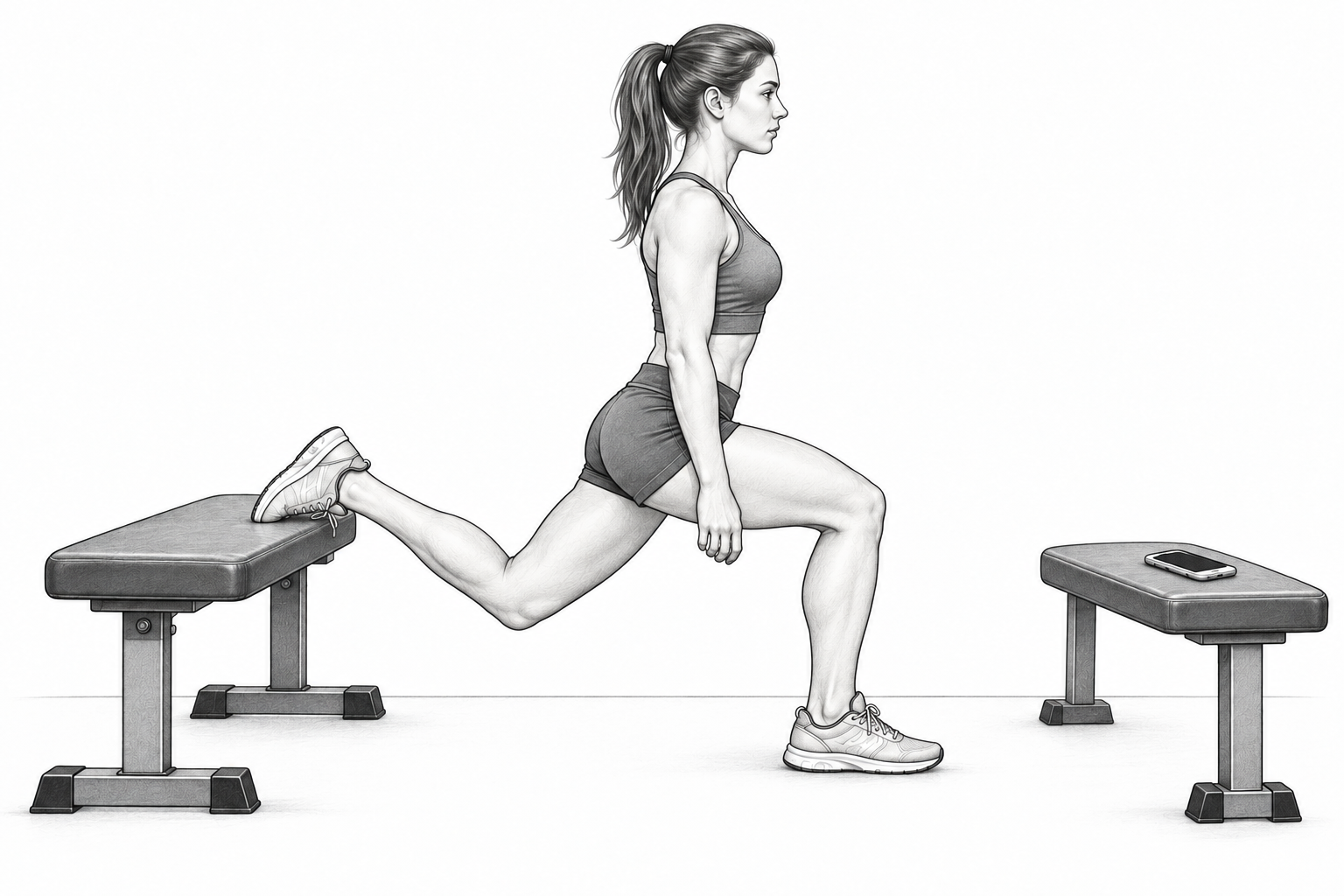
Case: logging a Bulgarian split squat
| Field | Value |
|---|---|
| Left weight | 20kg |
| Left reps | 10 reps |
| Right weight | 20kg |
| Right reps | 8 reps |
Use a consistent rule for whether weight means one hand or the total. Next time, follow changes on each side, such as an increase in right-side reps.
Basic left/right logging with Free
Left/right weight and reps, history, and basic analysis are available with Free. Entering new custom values or assigning a new machine requires Pro access. Independent left/right exercises use dedicated side views rather than supporting two-value comparisons and condition coloring in the same way.
Related features
The screens use sample records to explain the controls.
Updated: October 27, 2026