
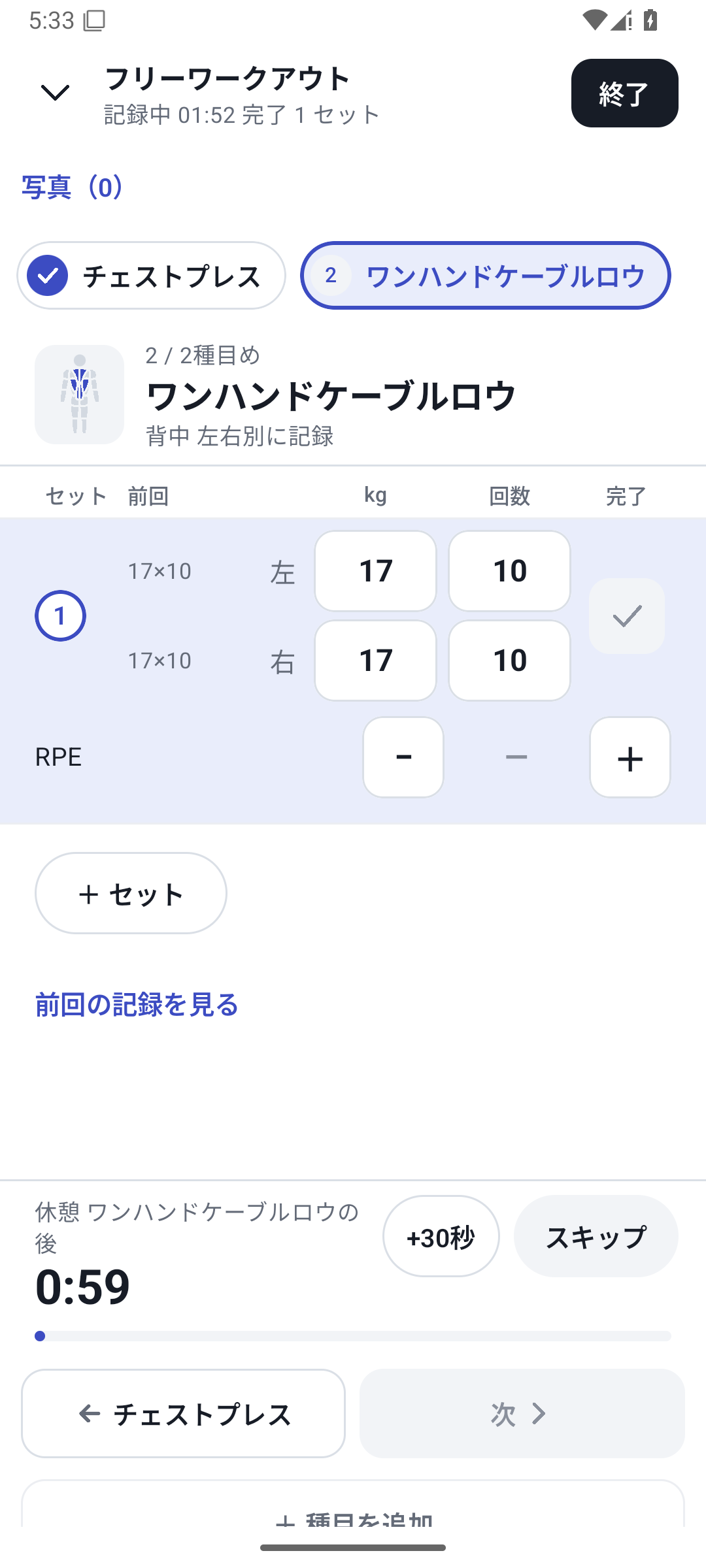
Four inputs for independent left/right tracking
| Field recorded | Example input |
|---|---|
| Left weight | 20kg |
| Left reps | 10 reps |
| Right weight | 17.5kg |
| Right reps | 8 reps |
Use an exercise with the independent left/right tracking type. Left/right fields are not added to every exercise automatically; this type is separate from ordinary weight + reps.
Use it for unilateral leg or arm exercises
Create Bulgarian split squats, one-arm rows or single-leg machine exercises with the independent left/right type to record weight and reps for each side. Prepare default values and set templates in exercises or routines, then change them to actual values during logging. Values are not obtained automatically from connected measuring equipment.
Check the exercise's tracking type
Select an exercise configured for independent left/right tracking. Changing an exercise's tracking type is restricted once it has history.
Enter values for each side
Check left weight, left reps, right weight and right reps, and enter what you actually performed. Do not fill an unknown value on one side with 0.
Complete the set and check history
Enter the required values and complete the set. After finishing, check each side's values in the daily record.
Review trends and differences between sides
In analysis, switch between left/right weight trends, differences and reps. Check which value you are viewing, the date range and equipment conditions.
Recording differences between sides is separate from diagnosing pain or injury. The app does not make medical assessments from its numbers alone.
What is available on Free
Basic left/right logging and viewing history are available on Free. Adding and entering custom fields or assigning a new machine to a left/right exercise has separate Pro-equivalent requirements.
Start logging
Basic logging steps
From starting, entering values and completing sets to reviewing results.
Read more Related featuresDistinguish the equipment used too
For the same left/right exercise performed on different equipment.
Read moreThe screens use sample records to explain the controls.
Content checked: October 27, 2026. Screens and values are sample records.
Use differences between sides to guide your next check.
Example: Bulgarian split squat, left 20kg × 10 reps, right 20kg × 8 reps. Log under the same conditions next time and follow each side's reps and the difference. These are example records. Keep your conventions consistent, such as whether a weight means one dumbbell.