
Steps
Choose how to start
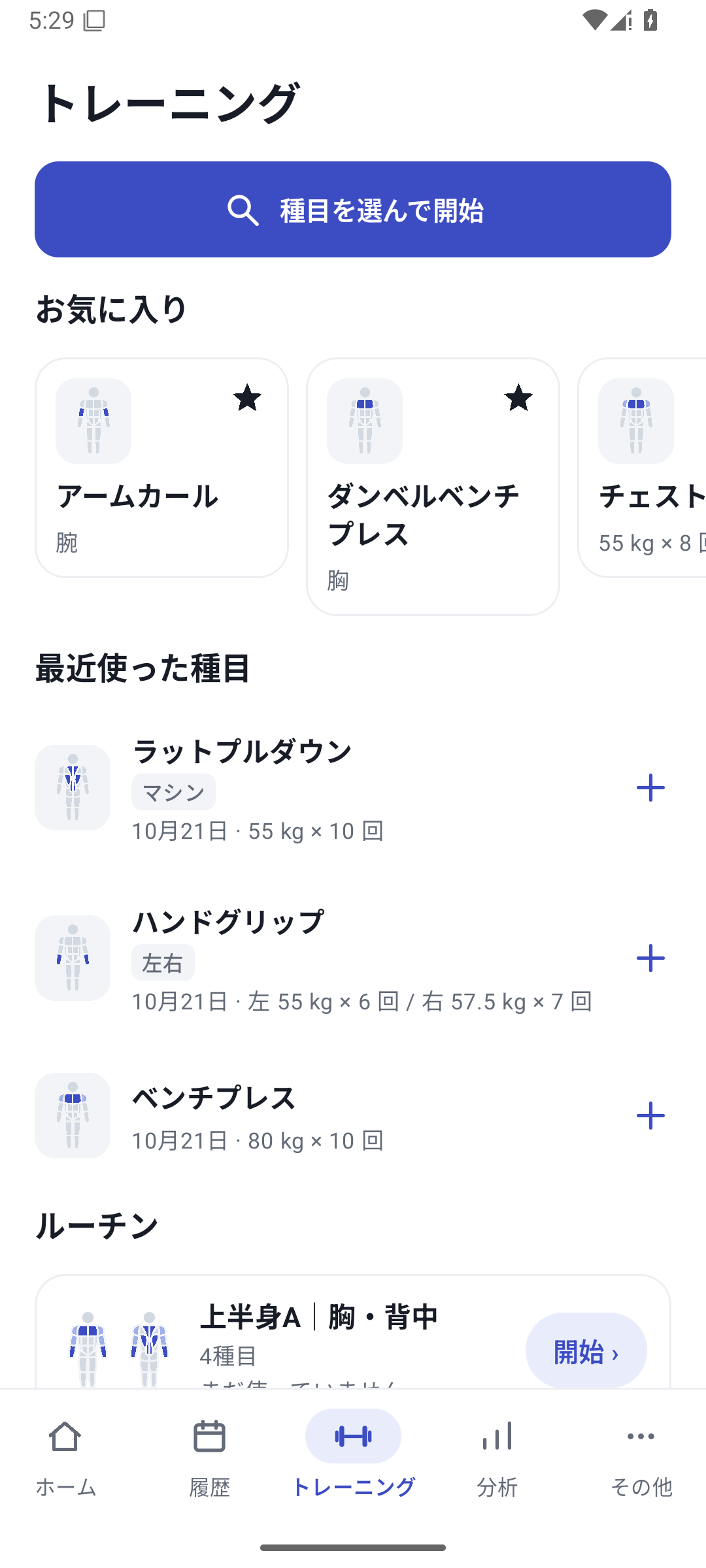
Open Training at the bottom and choose Select exercises to start, or choose Start on a routine.
 Enlarge image
Workout screen: start by choosing exercises or start a routine. Check the exercise and previous values
Switch to the exercise you are logging and refer to its previous values. You can add exercises during the workout.
Enter values
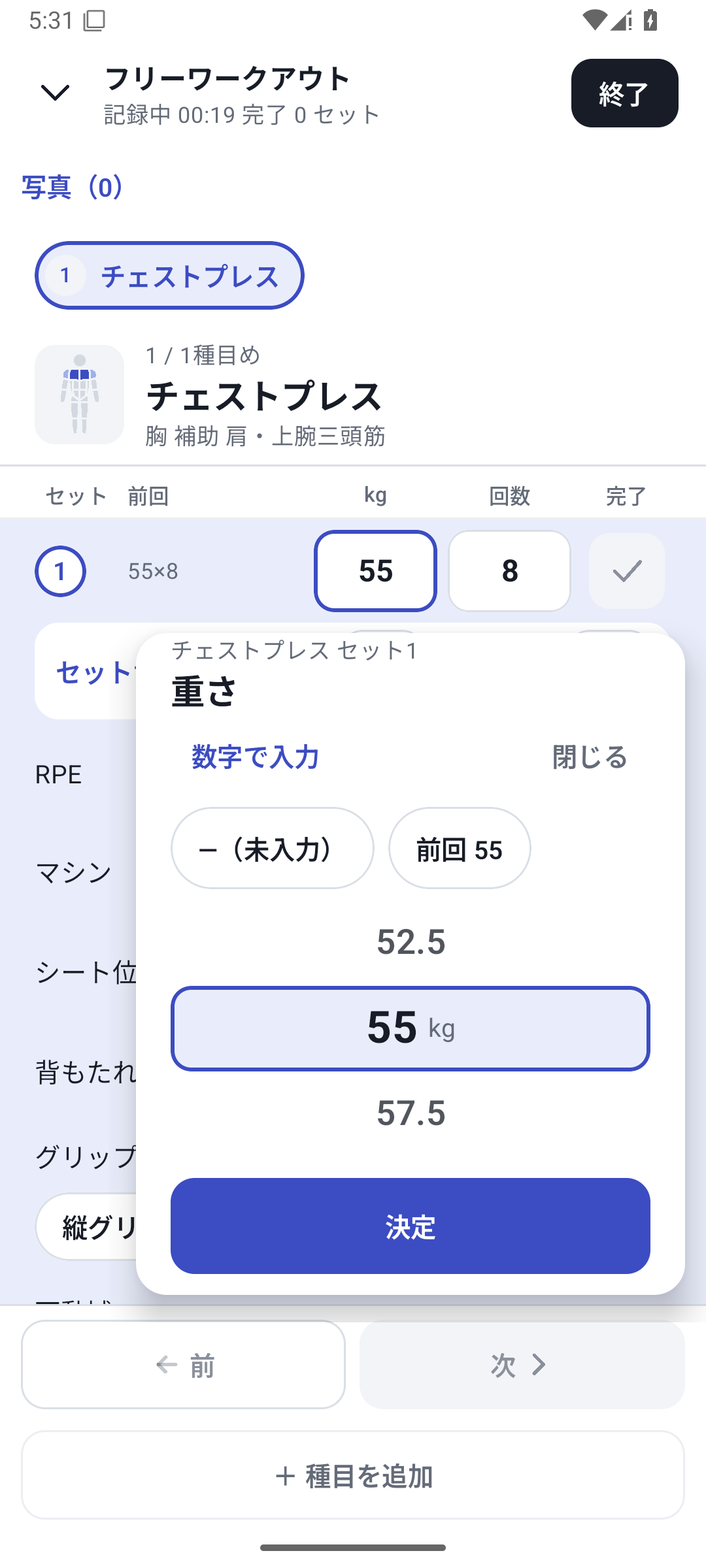
Open the exercise's weight, reps or seconds field. Use ±, the number wheel or direct entry, and check the confirmed value on the logging screen.
 Enlarge image
Choosing between the number wheel and direct entry for basic values. Complete the set
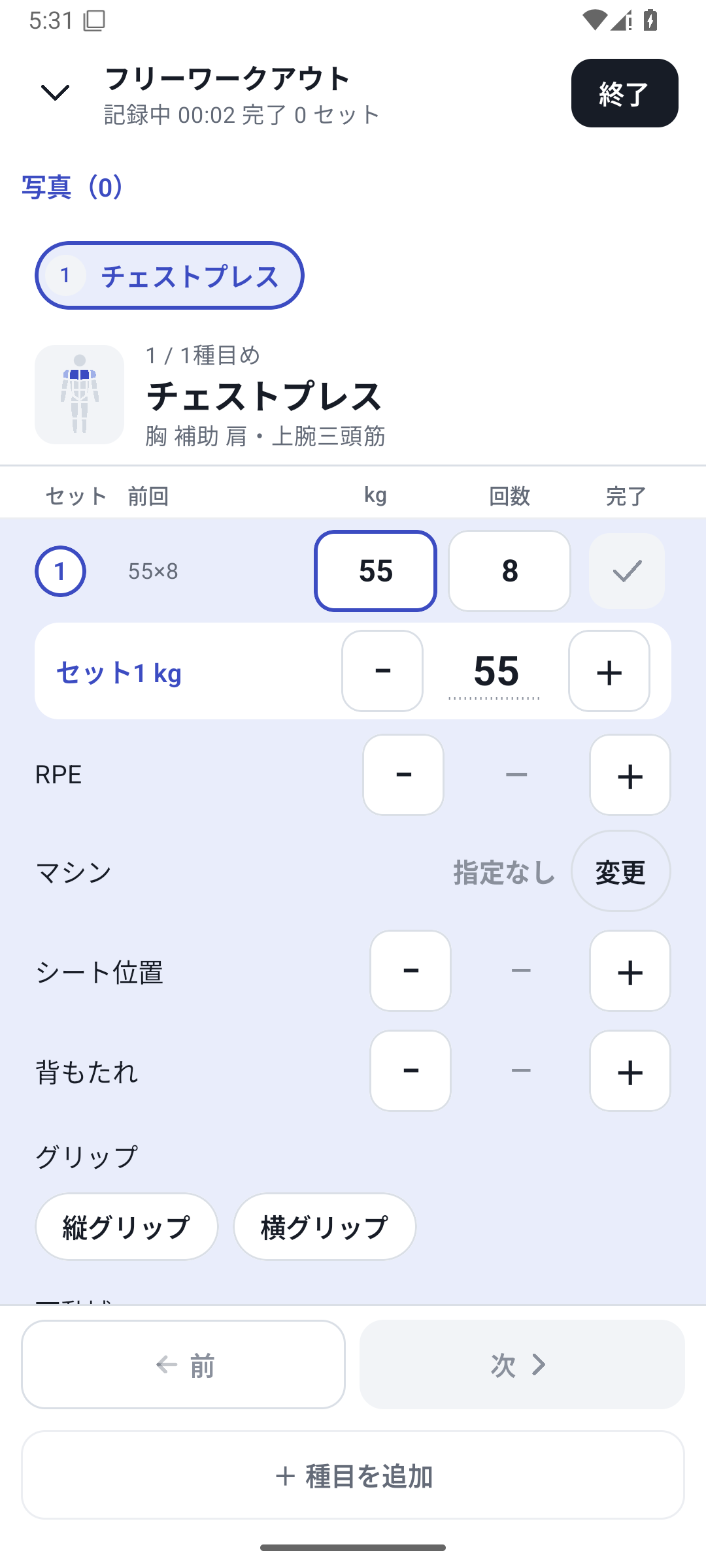
Enter the values you actually performed and mark the set complete. If a required value is missing, return to the highlighted field.
 Enlarge image
Chest press logging screen: weight, reps and completion. Finish and check history
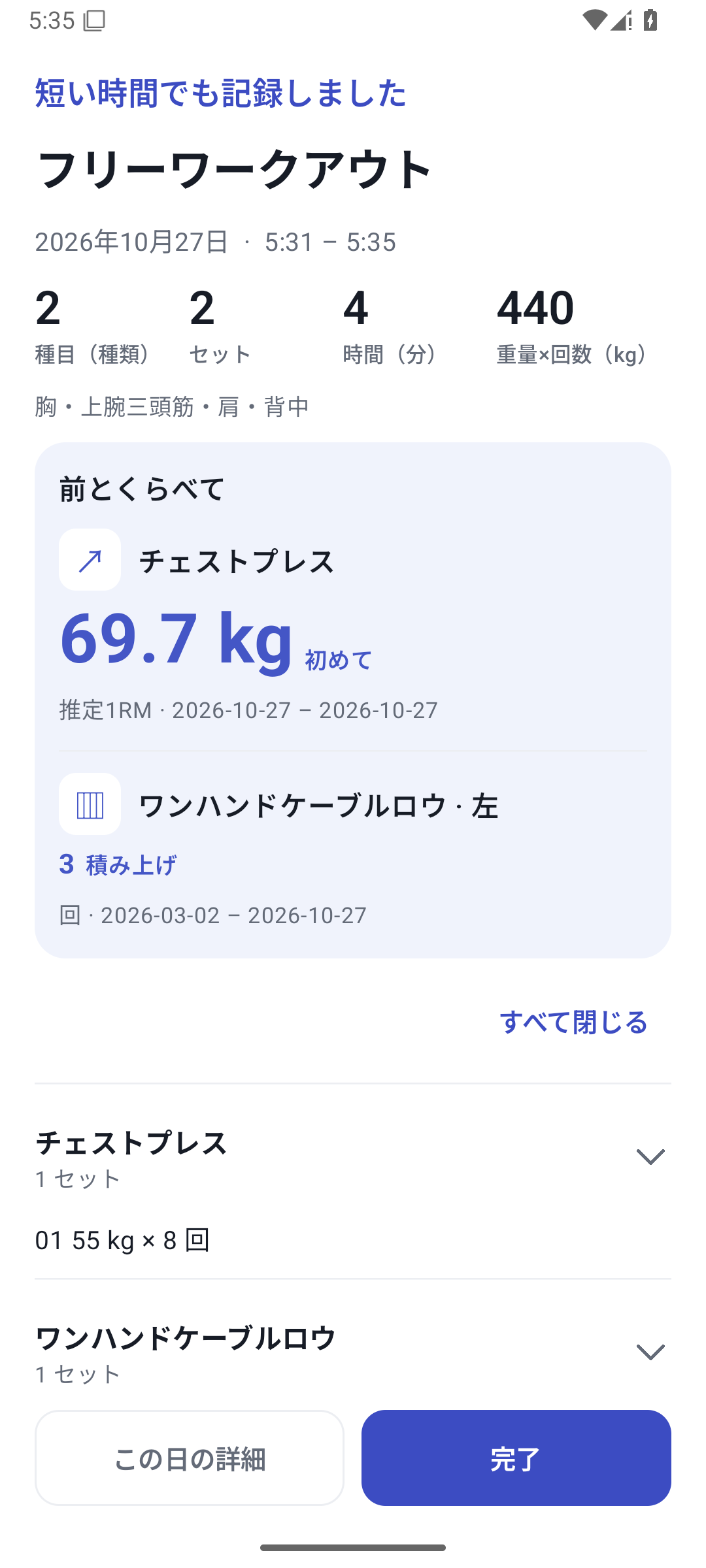
Review any planned exercises or sets left over, finish, and open history from the results. Check the date, exercises and completed-set values.
 Enlarge image
Results screen after finishing, showing completed exercises and sets.
From previous performance to today's record
Enter today's values while referring to the previous weight and reps. A routine's set template is a plan; the previous-value row shows actual past performance. Loading a plan does not save it as today's results.
After adding a set, check the new row's weight, reps and conditions. Pro can also carry over conditions such as custom values and machines. On Free, you cannot continue entering new paid-feature values unchanged.
Save the finished workout
Whether you finish every set or only part of the plan, review any remaining exercises and sets before saving. Unfinished rows are not treated as completed work. The results screen shows exercises, sets and values performed, and links to daily history.
Resume an interrupted workout from the workout in progress. Only one workout can be in progress; resuming and starting a new one are different actions. If discarding, read the confirmation carefully so you do not confuse it with finishing and saving.
Case: logging a chest-and-back day
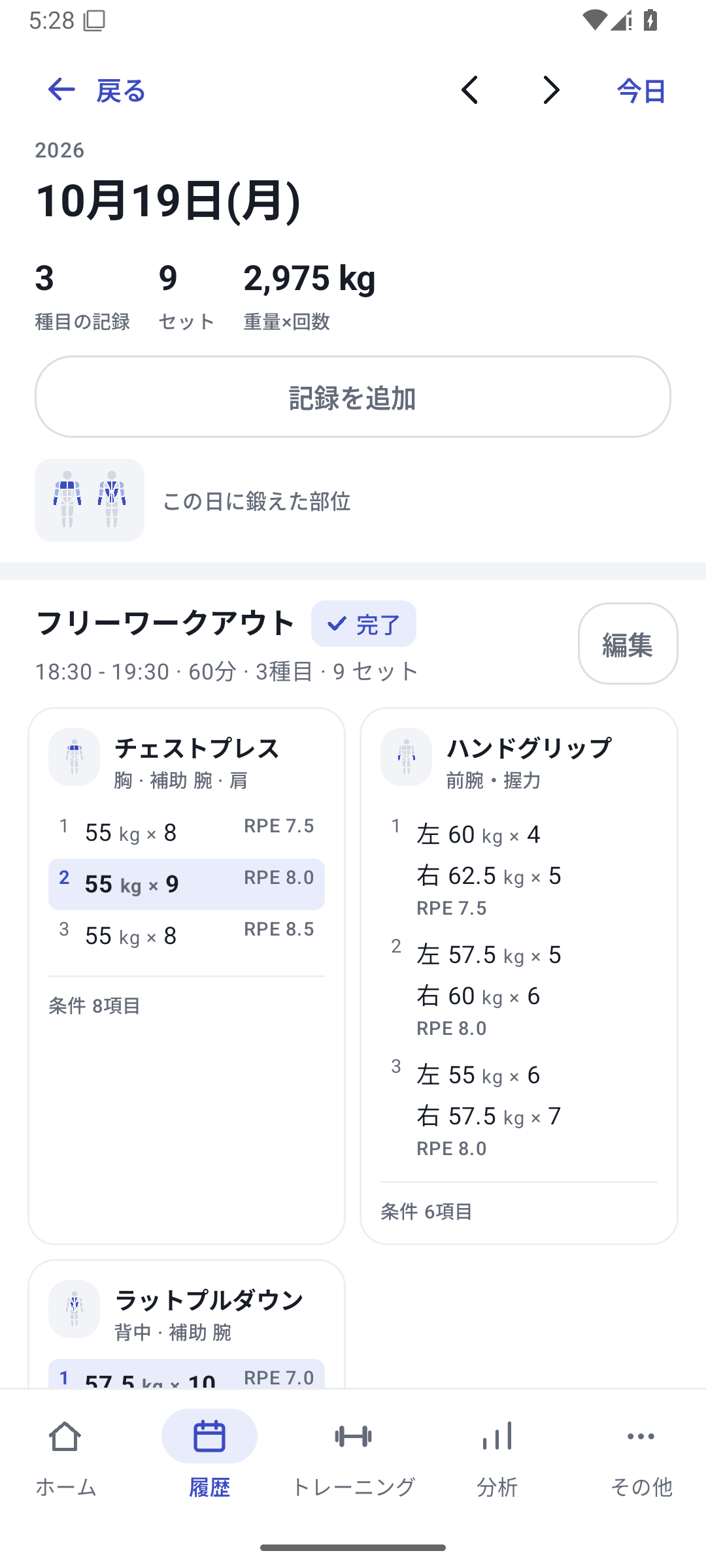
Chest press at 55kg for 8, 9 and 8 reps. If last time was 52.5kg, change the weight, then enter reps and complete each set. Add lat pulldowns next. After finishing, review the three sets and RPE in history.
Weight × time totals use weight × seconds; weight × reps totals use weight × reps. Do not compare totals with different units as if they measured the same thing.
Related features
The screens use sample records to explain the controls.
Updated: October 27, 2026