
Decide what you want to learn before moving every column
To explore why the same weight felt different, record changing conditions such as seat position or movement duration. Choosing fields you can use next time makes logging easier to maintain than adding columns just for the sake of recording.
Case: replacing a chest press table
| Current table column | RENMA setup | Value saved in the set |
|---|---|---|
| Weight and reps | Basic logging fields | 55 kg × 8 reps |
| Seat position | Numeric custom field | 4 |
| Grip | Single select: vertical / horizontal | Vertical |
| Lowering time | Duration custom field | 3 seconds |
| Technique cue | Text custom field | Do not shrug shoulders |
This example uses Pro custom fields. Basic weight and reps use Free logging fields. Create fields on the exercise and save values in each set.
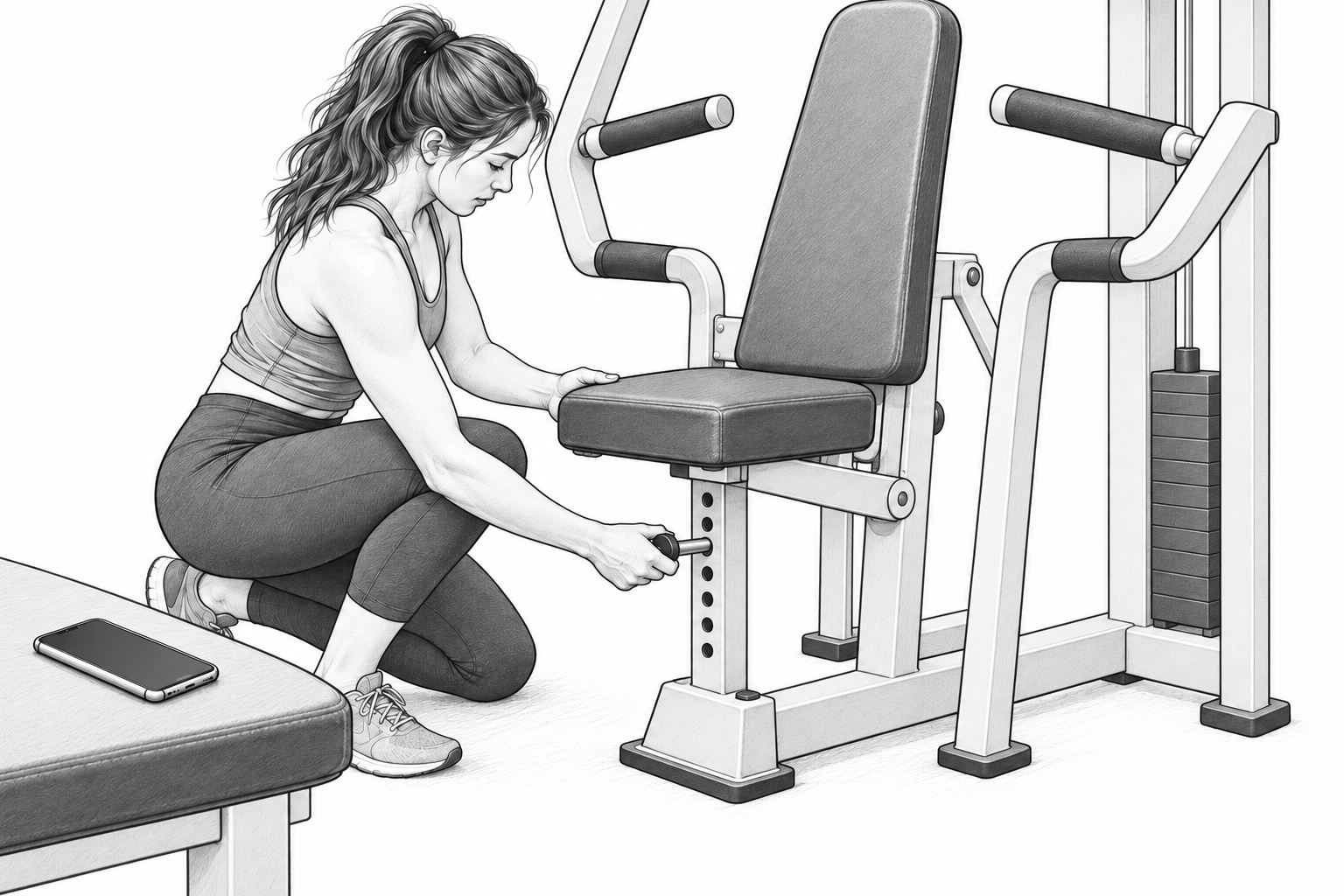
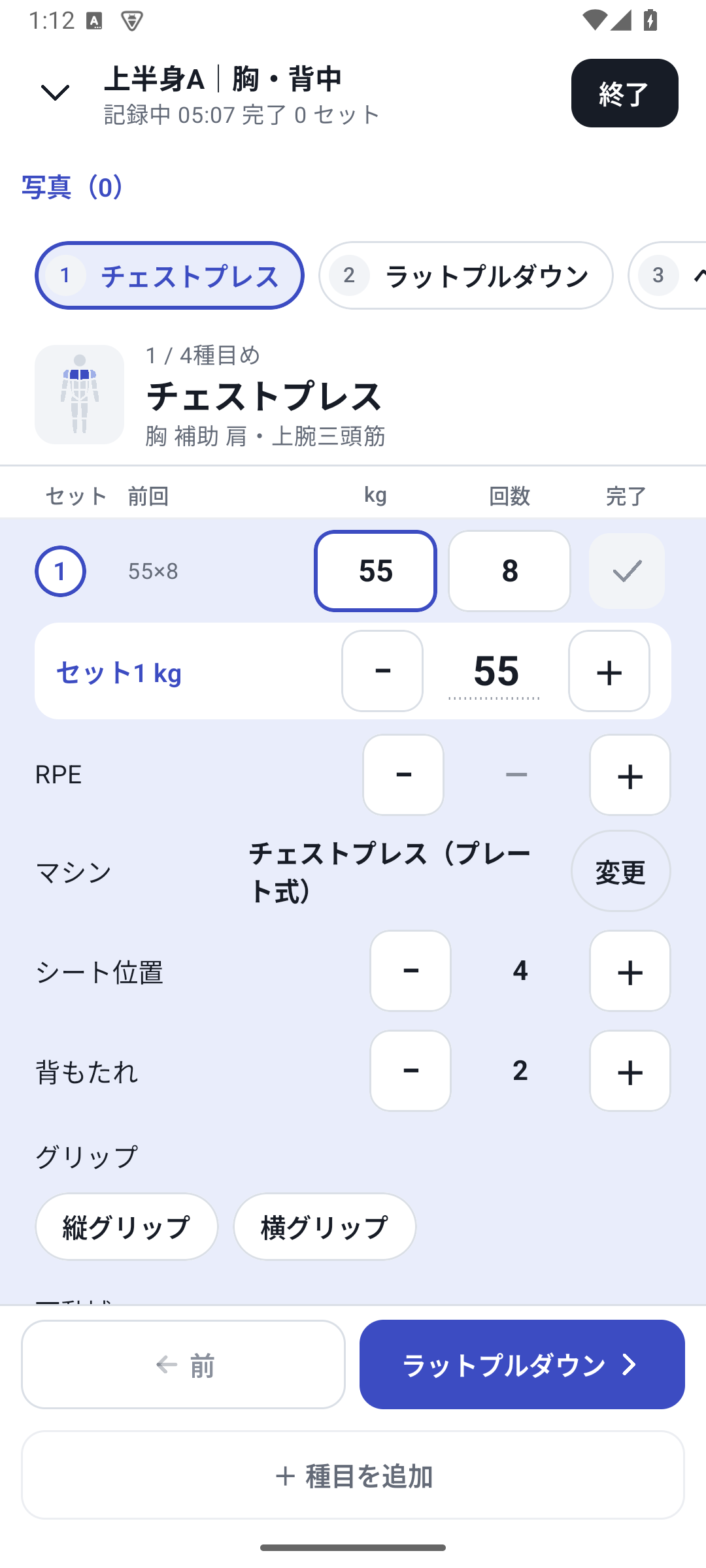
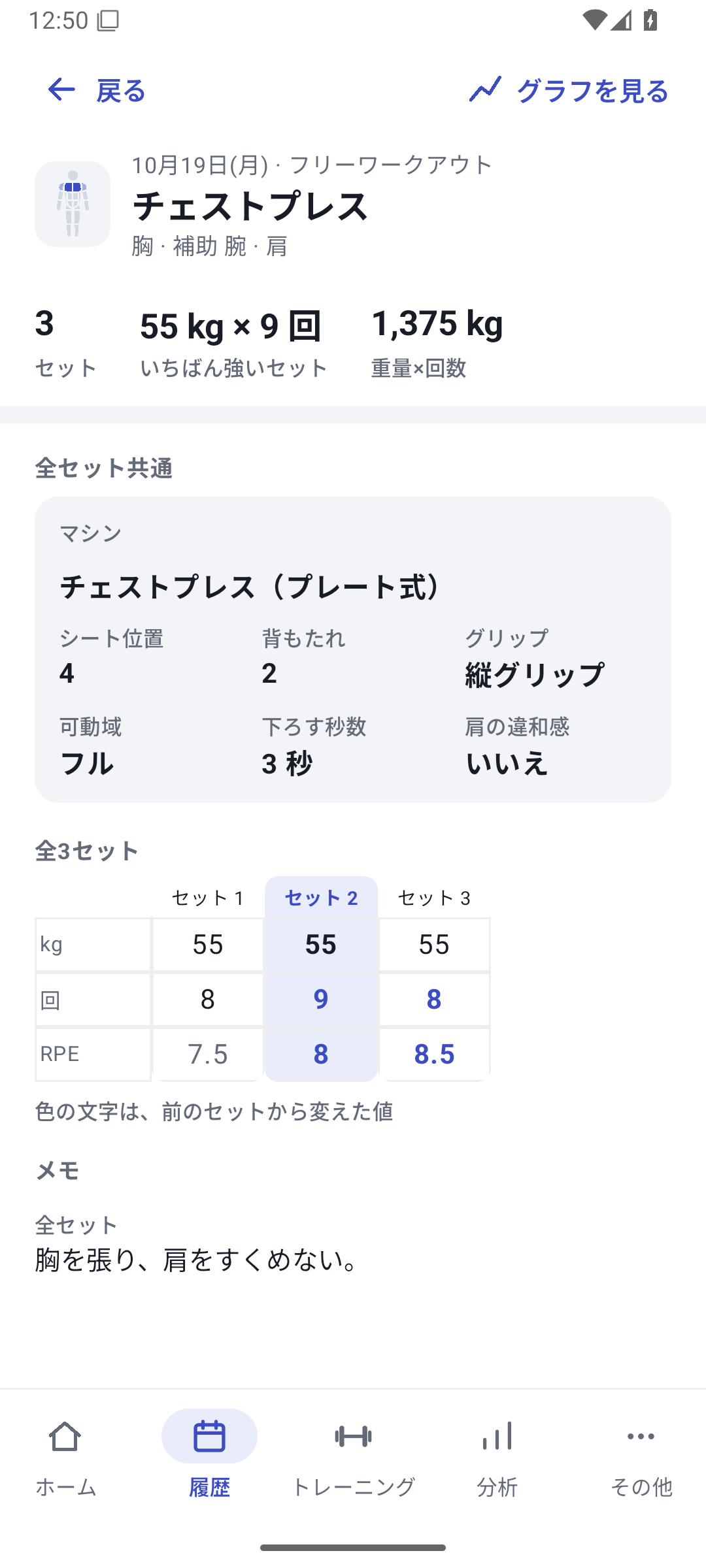
Create fields and enter them in actual sets
Create fields on the exercise
Choose names and types in exercise editing. For selection fields, add options. After adding the field, save the whole exercise.
Select values in the set
Enter seat, grip, time, and notes in logging conditions. If you change a setting midway, change the value for that set.
Read set differences in History
After finishing, use daily details to read which conditions applied to each set.
Table columns become ways to review your training
Numeric types can be used in supported trends and two-value comparisons; selected conditions can color supported graphs. Read text in History. Rather than putting every field on the same numeric graph, choose a review method suited to the information.
To carry over old tables themselves, give the source file and conversion guide to an external AI. Explain column meanings and units and review a list of information that cannot transfer.
When organizing fields
Deleting a field for future use does not remove the original definition and values from completed history. New fields do not automatically merge with older ones. Keeping names and units consistent for fields with the same meaning makes past records easier to compare.
Setup and operation
The screens use sample records to explain the controls.
Updated: October 27, 2026