
A note to remember, or a value to compare?
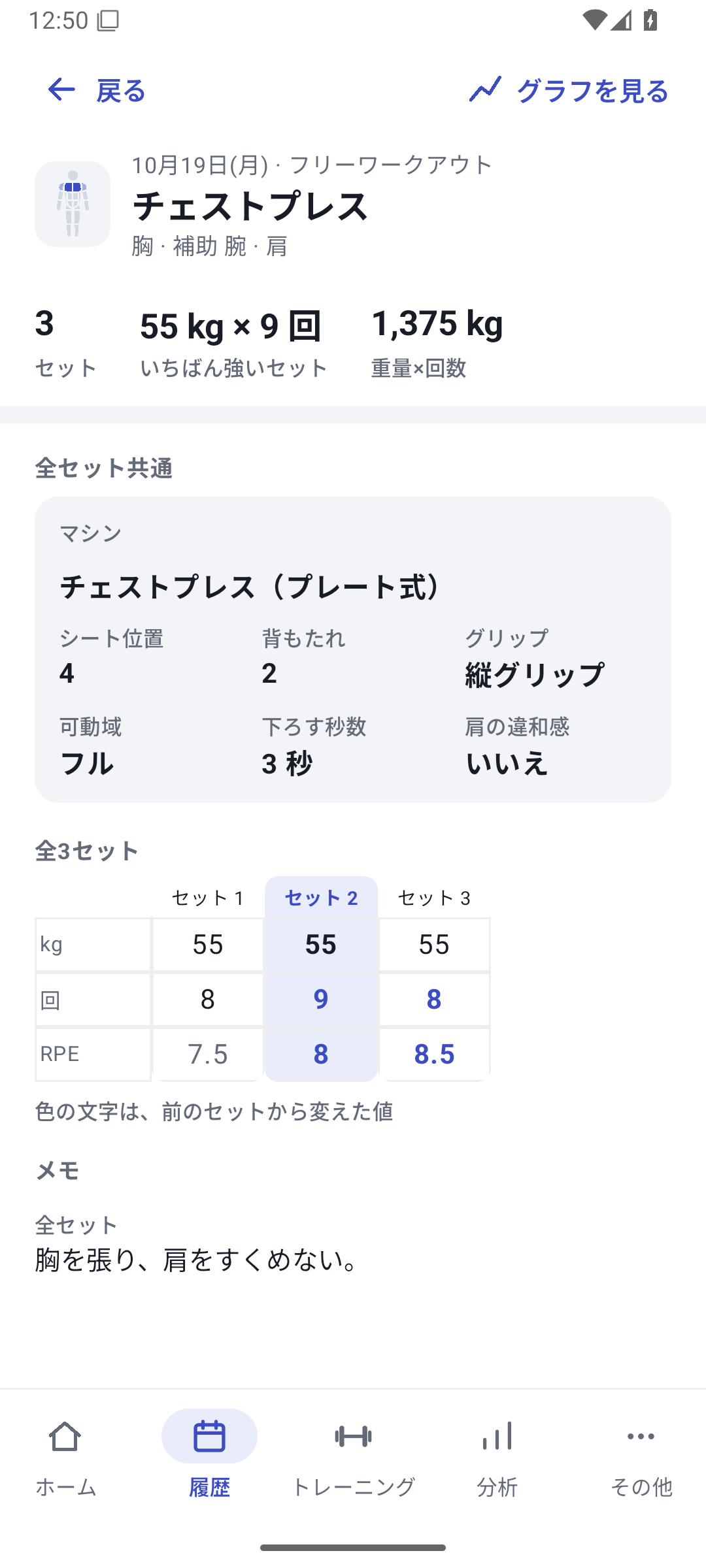
“Do not shrug shoulders” as text. “Lowering time” in seconds. “Range of motion” as choices such as full or slightly shallow. Separating reminders from graphable values makes records useful later.
Case: three ways to save information
| What it keeps | Type | Value and how to review it |
|---|---|---|
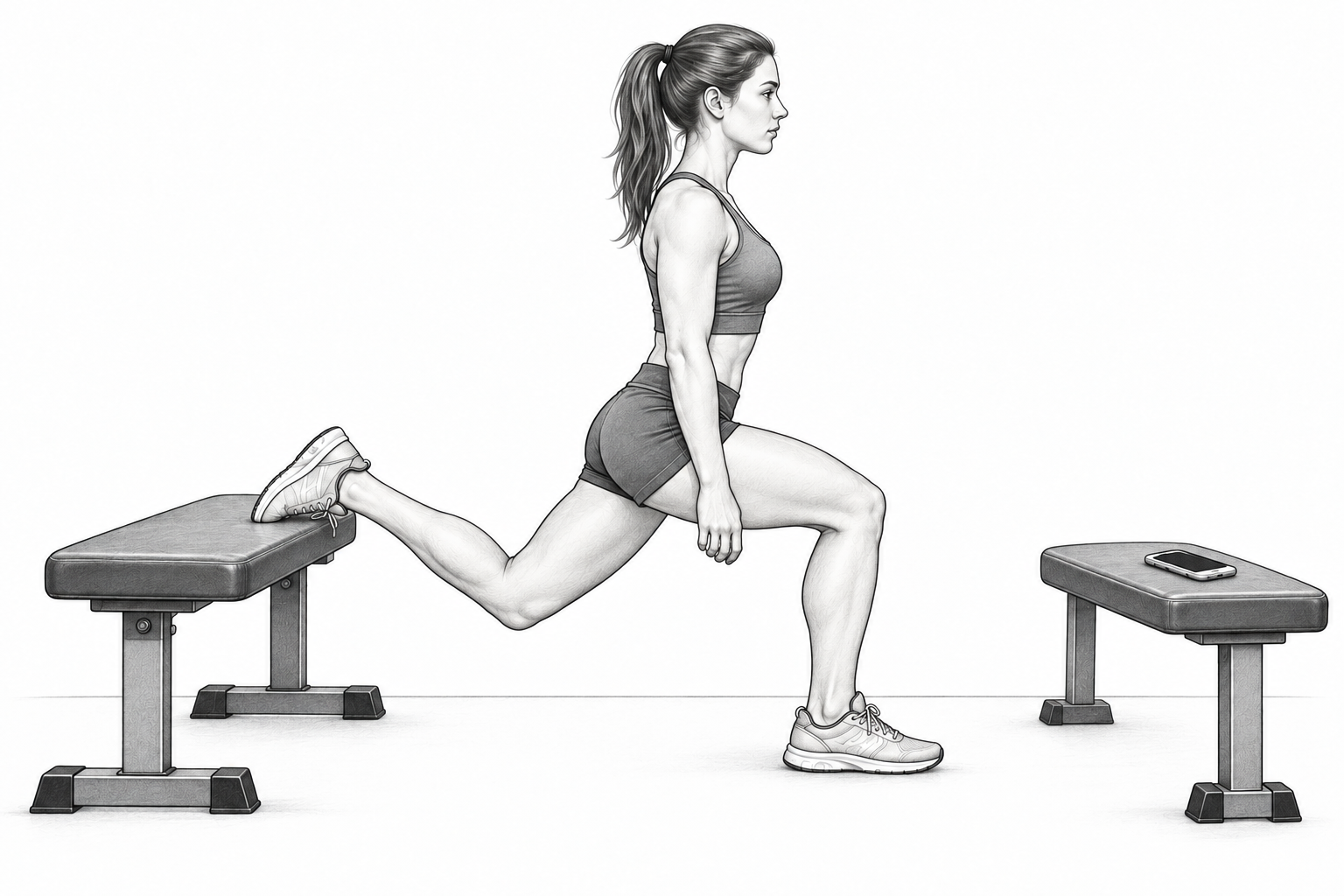
| Bulgarian split squat cue | Text | “Align knee and toes”. Read in History. |
| Chest press lowering time | Time | 3 seconds. Read in supported numeric comparisons. |
| Fatigue during exercise | Single select | Low, normal, or high. Read in supported condition views. |
Basic RPE records perceived effort for the set. If you create a fatigue field or RIR field, keep its meaning distinct from RPE.
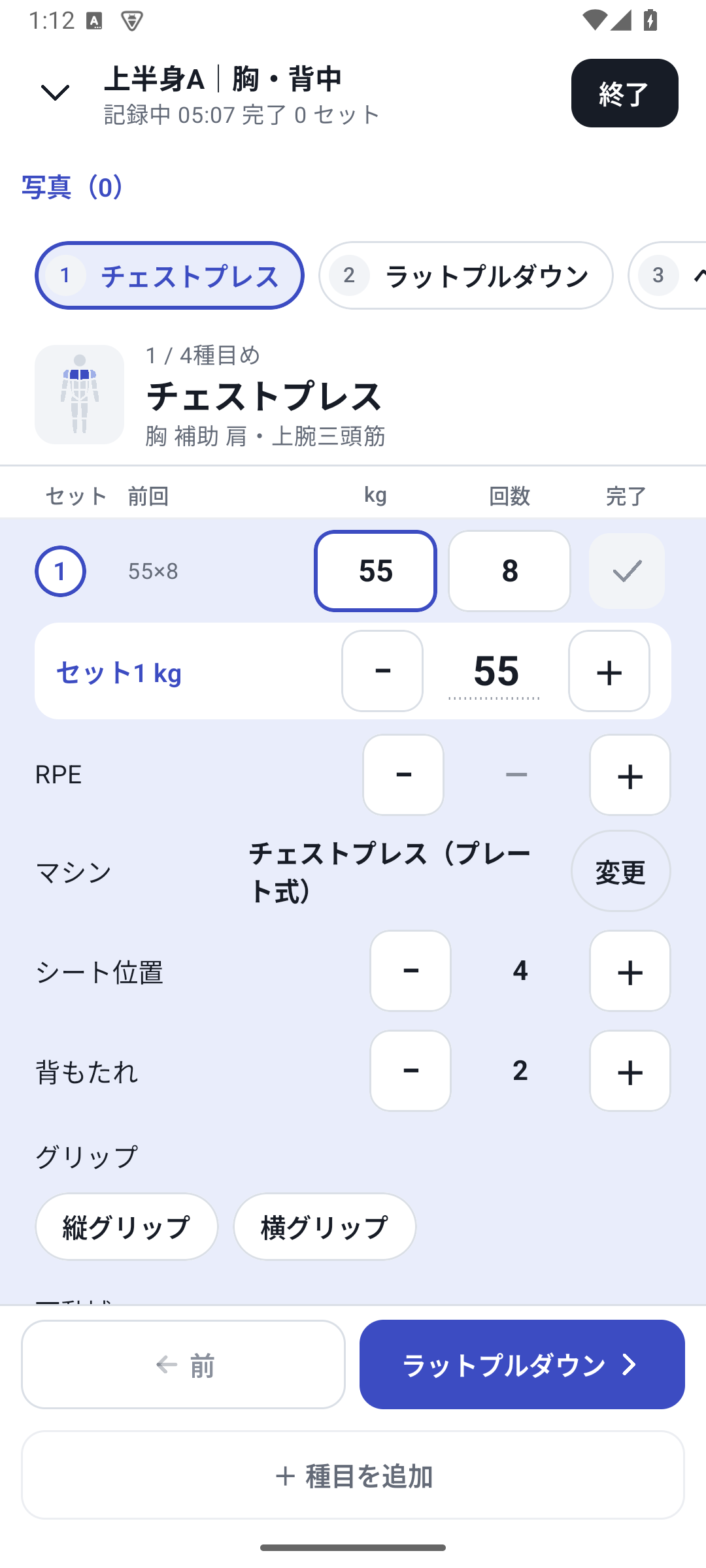
Record what changed between sets
Create fields on the exercise
Choose names, types, and options, then save the exercise. Keep option meanings consistent for conditions you want to compare.
Enter values for that set
Choose them in logging conditions. If you change technique for one set, you can update that set's note or value without changing the others.
Read History after finishing
Check what each set contains. Distinguish common conditions from those that changed during the workout.
Photos for visible progress
Add a note to photos from the same day if needed. Using the same angle and posture makes changes from last time easier to compare.
Use it in your next workout and analysis
Next time, read your previous cues in History and log under the same conditions. Use numeric types in supported two-value comparisons and selected conditions in supported coloring. Text cannot be analyzed as a numeric line. New custom value entry and analysis require Pro.
Setup and operation
The screens use sample records to explain the controls.
Updated: October 27, 2026